Vercel's launch of AI Element

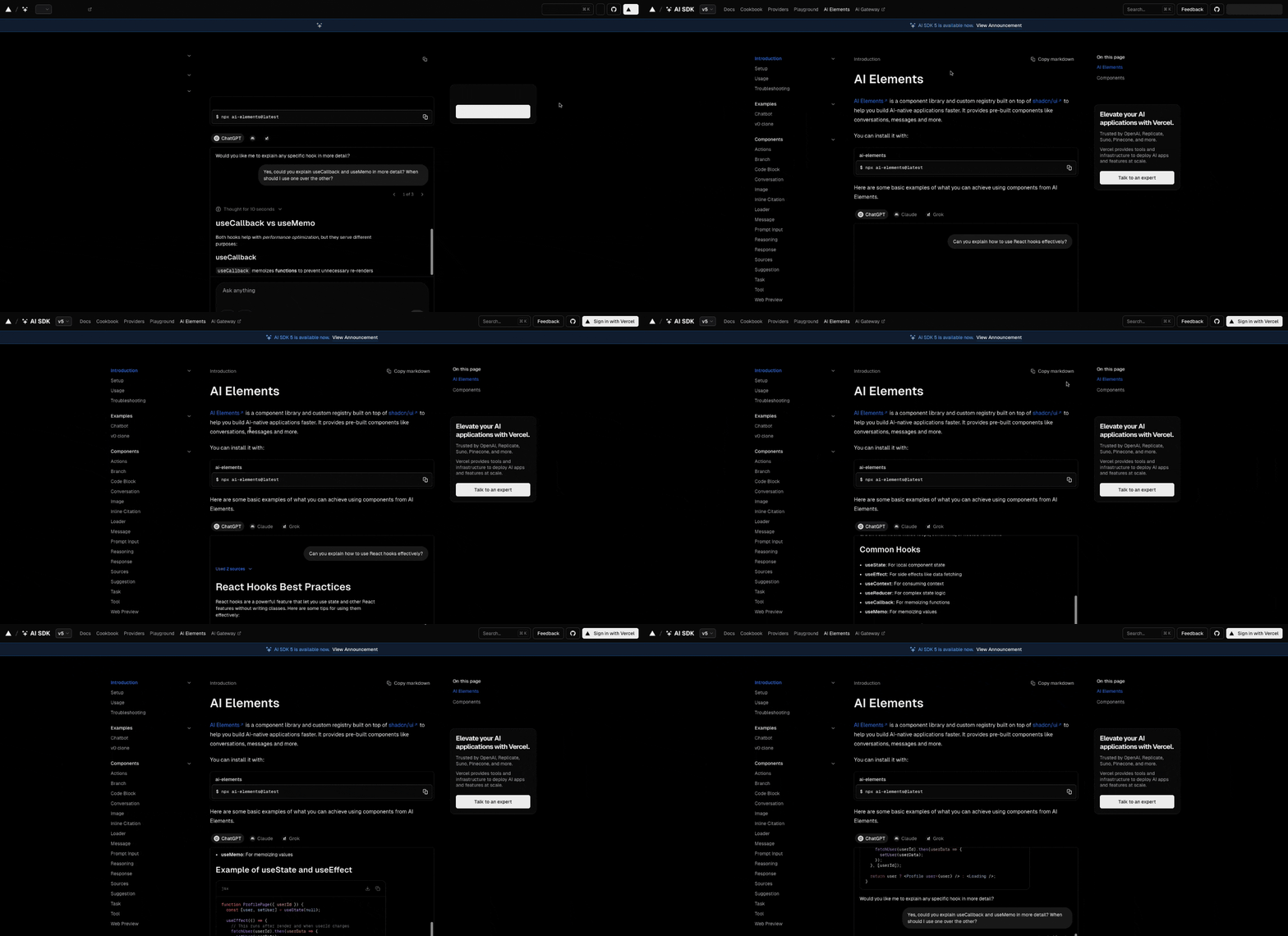
You can use AI Elements, Vercel’s new open-source ai development tool, to build smart applications faster. AI Elements stands on shadcn/ui, which lets you change code and style with simple instructions. The library supports many frameworks:
Next.js
React
Svelte
Vue
When you install with npx ai-elements@latest, you get tools that help you create ai features with ease. Teams and solo developers both find it simple to start.
Enhancement Type | Description |
|---|---|
Direct Code Manipulation | AI agents can adjust JSX and Tailwind classes with natural language for quick changes. |
Structural Understanding | Clear component structure helps AI add or remove parts easily. |
Consistency | Base components keep your design neat and efficient for every project. |
Key Takeaways
AI Elements helps developers build smart applications faster by providing customizable components for various frameworks.
Using AI Elements can reduce deployment time significantly, allowing teams to launch projects in weeks instead of months.
The library supports natural language code manipulation, making it easy to adjust components without deep technical knowledge.
AI Elements integrates seamlessly with Vercel, enhancing the development workflow and enabling rapid prototyping of AI features.
Developers can trust AI Elements for security and performance, as it is used by industry leaders like OpenAI and Replicate.
What is AI Elements?
Vercel's AI Development Tool
You can use AI Elements as your starting point for building modern AI applications. Vercel created this open source library to help you develop AI-native apps with less effort. The library gives you a set of customizable React components that make it easy to add smart features to your projects. You get tools like message threads, input boxes, reasoning panels, and response actions. These all work smoothly with the Vercel AI SDK, so you can focus on building great user experiences.
AI Elements stands out because it supports many frameworks. You can use it with React, Next.js, Svelte, or Vue. This flexibility means you can choose the technology that fits your project best. The modular design lets you add only the components you need, which keeps your code clean and efficient.
AI Elements helps you move faster in AI application development. Teams using this component library deploy use cases 1.5× faster than those who build everything from scratch. You can reduce your deployment cycles from months to weeks, which means you see results sooner.
Component Library Overview
The component library includes a wide range of features. You can find everything you need to build interactive and intelligent apps. Here are some of the main components you get:
Chat interface component that feels like ChatGPT and is easy to set up.
Image recognition components that use advanced AI models for image processing.
You can also find tools for conversations, messages, reasoning, and data analysis. These components are customizable, so you can adjust them to fit your app’s style and needs.
Getting started with AI Elements is simple. You can install all components at once or pick just the ones you want. Here is how you do it:
Step | Command | Description |
|---|---|---|
Use npx to install all components |
| This command sets up shadcn/ui if not already configured, installs all AI Elements components, and adds necessary dependencies. |
Install specific components |
| Use this command to install individual components like message, conversation, or code-block. |
You can quickly deploy AI Elements and integrate it with your existing tools. This seamless setup improves your workflow and lets you focus on building with the latest technology.
Key Features of AI Elements
Customizable AI Components
You can build interactive ai interfaces with AI Elements. The library gives you a wide selection of customizable React components. These components help you create smart software quickly. You can choose the tools that fit your project best. Here are some of the main components you will find:
actions: Add interactive buttons for ai responses.
branch: Show conversation flows with clear visuals.
code-block: Display code with syntax highlighting and easy copy options.
conversation: Organize chat conversations in your software.
image: Use ai-generated image recognition to display pictures.
inline-citation: Show sources right inside your messages.
loader: Indicate when ai operations are running.
message: Present chat messages with avatars.
prompt-input: Let users select models and enter prompts.
reasoning: Reveal how ai thinks and solves problems.
response: Format ai responses for easy reading.
source: Attribute sources for transparency.
suggestion: Offer quick action ideas to users.
task: Track task completion in your software.
tool: Visualize tool usage for better understanding.
web-preview: Embed web pages for instant previews.
You can install only the components you need. This flexibility keeps your software clean and efficient. AI Elements works with external state stores and supports frameworks like React, Vue, and Svelte. You get the freedom to design interfaces that match your style.
Tip: You can use image recognition components to process and display images in your software. This feature helps you add advanced ai capabilities without extra effort.
Interactive Elements
AI Elements makes your software more engaging. You can create interfaces that feel natural and easy to use. The design focuses on user interaction, so people enjoy using your applications. You can add chat and search interfaces that let users talk to ai directly. This approach gives faster feedback and helps users get answers quickly.
Aspect | Description |
|---|---|
Users interact with your software through chat and search, making the experience smooth. | |
Faster Feedback Loops | Your software responds quickly to user input, improving satisfaction. |
Personalized Experiences | AI features tailor the software to each user, boosting productivity and happiness. |
You can also use multi-modal experiences. This means users can switch between typing, speaking, or uploading images. Your software adapts to different needs. Companies using ai-powered voice analysis tools see a 20% increase in operational efficiency. You can automate calls and reduce errors by 50%. Your software can boost customer satisfaction scores by 27%.
Intuitive interaction design makes your software easy to use.
Multi-modal support lets users switch between input methods.
Voice interaction and data analysis features help you automate tasks and improve accuracy.
Image recognition tools identify and process images, making your software smarter.
Integration with Vercel
You can connect AI Elements with Vercel for a smooth development experience. The integration helps you deploy software quickly and test new features with ease. Here is how AI Elements works with Vercel:
AI SDK: You can use the Vercel AI SDK to connect with different ai providers. This gives you full model portability.
Rapid Prototyping: You can experiment with ai features without setting up complex infrastructure.
Streamlined Development Workflow: You can test and refine your software in real production-like environments.
You can use image recognition and voice interaction features in your software. Vercel makes it easy to deploy and scale your applications. You can build, test, and launch new ai features faster. AI Elements and Vercel help you create software that meets modern standards.
Note: AI Elements supports frameworks like React, Vue, and Svelte. You can use these tools to build interactive ai interfaces and add image recognition to your software.
Benefits for AI App Developers
Faster AI App Creation
You can build AI applications much faster with AI Elements. The ready-to-use components let you add smart features without starting from scratch. You save time because you do not need to design every part yourself. You can focus on building responsive and modern ai-driven experiences for your users. When you use these tools, you also improve security. The components follow best practices, so your apps stay safe. Many developers see their projects move from idea to launch in weeks, not months.
You can trust that your code will be secure and up to date. AI Elements helps you avoid common mistakes and keeps your app protected.
Flexibility and Scalability
AI Elements gives you the flexibility to create apps that fit your needs. You can pick only the components you want. This makes your code simple and easy to manage. You can also scale your app as it grows. AI-optimized compute infrastructure helps your app handle more users and data. Cloud platforms like AWS or Google Cloud let you add more power when you need it. This keeps your app running smoothly, even during busy times.
Scalable systems let you change your app quickly when your needs change.
Modular designs help you reuse parts for different projects.
You can keep your app’s performance steady, even as you add new features.
AI Elements also improves efficiency. You can find and fix errors faster. The system helps you keep your code clean and easy to update. You can use AI to predict what users want, making your app smarter and more personal. Security stays strong as your app grows.
Trusted by Industry Leaders
You join a community of top companies when you use AI Elements. Industry leaders like OpenAI, Replicate, Suno, and Pinecone trust this library. They use it to build secure and powerful AI apps. You can feel confident that your app meets high standards for security and performance. Vercel supports these tools, so you always have access to the latest updates and features.
Company | Use Case | Focus on Security |
|---|---|---|
OpenAI | Chat and messaging apps | Yes |
Replicate | AI model deployment | Yes |
Suno | Data analysis | Yes |
Pinecone | Search and retrieval | Yes |
You can rely on AI Elements to help you build experiences that are safe, fast, and modern.
Seamless Integration with Vercel
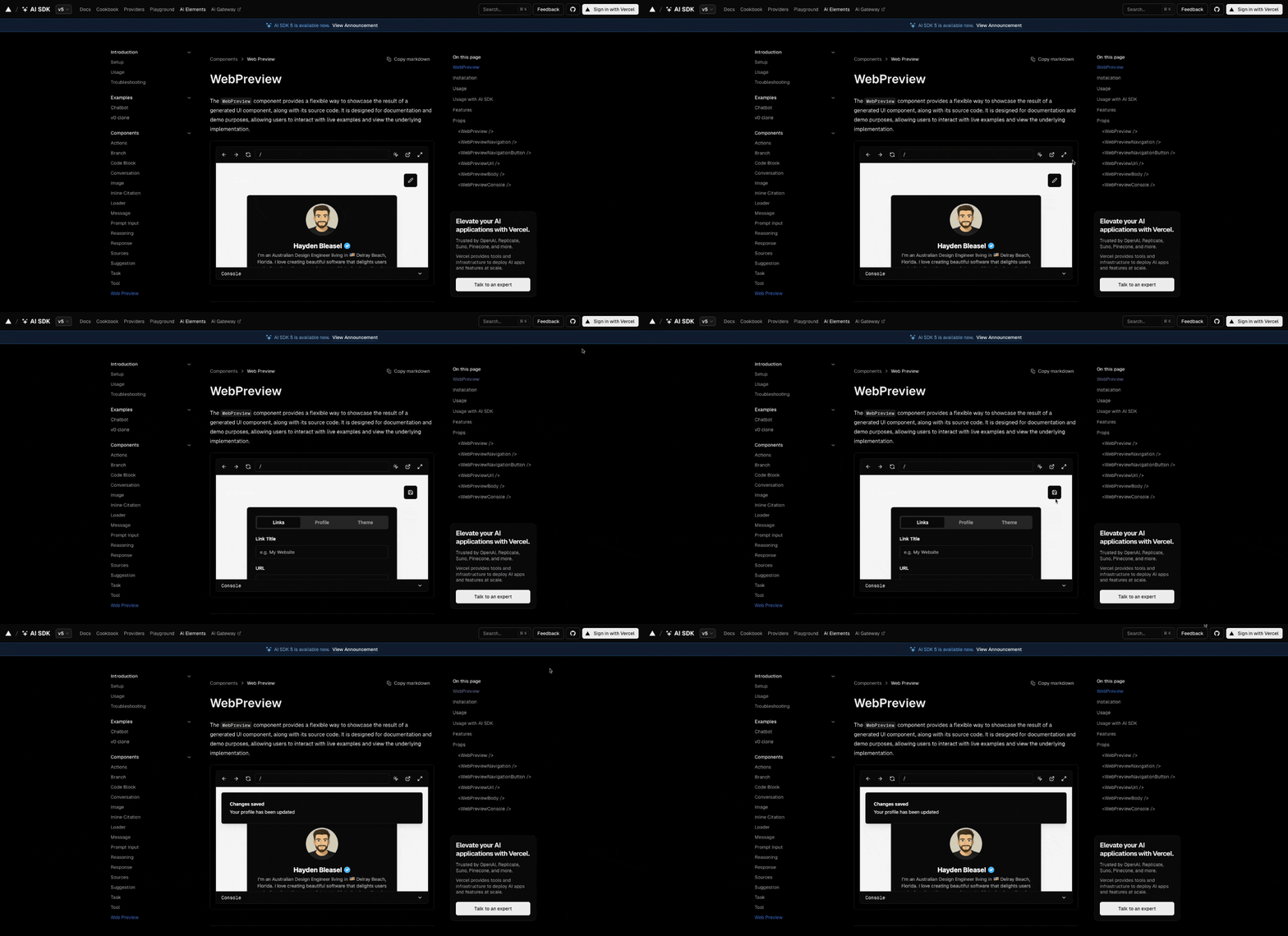
Deployment Workflow
You can deploy your AI app on Vercel’s deployment platform with a few easy steps. The process helps you launch your project quickly and safely. Here is a typical workflow:
Commit your changes. Make sure you use a
.gitignorefile to keep sensitive files out of your project.Create a new GitHub repository. Link it to your local project so you can track updates.
Import your project into Vercel. Use the Vercel dashboard to connect your GitHub repository.
Add environment variables. Enter your OpenAI API key in the Vercel settings to enable AI features.
Deploy your app. Press the Deploy button and watch your application go live.
Vercel uses a global edge network to reduce latency. Edge Functions run your code close to users, so your app responds faster than with traditional serverless functions. You get a smooth experience for everyone, no matter where they are.
Using Vercel AI SDK
You can use the Vercel AI SDK to connect your app to different AI providers. The SDK gives you a single interface, so you do not need to learn many systems. You can build dynamic user interfaces that change based on user actions. The SDK supports real-time streaming, so your app updates instantly as AI generates responses. You can use it with many JavaScript frameworks, making it easy to fit your tech stack.
AI Elements works well with Vercel’s cloud infrastructure platform. You can use OpenAI-compatible providers or create custom providers for special needs. The v0 composite model family helps you generate accurate UI components for your app. You can use natural language prompts to get production-ready code quickly.
Use Case | Description |
|---|---|
Personalized Content | Spotify’s Discover Weekly uses AI to personalize user experience, enhancing retention and engagement. |
Dynamic Pricing | Uber employs AI for dynamic pricing, optimizing fare calculations based on demand and supply. |
AI-Driven Support Chat | Instagram and Notion use AI chatbots to provide instant support, improving user satisfaction. |
You can see how companies use AI Elements and Vercel together to solve real problems. These tools help you build apps that are fast, smart, and easy to manage.
You can unlock new possibilities with AI Elements, a product that helps you build intelligent and interactive applications. Many developers report that this product improves coding skills and preserves mental effort.
When you use this product, you gain reliable AI-generated code and easier interactions. To explore its full capabilities, align your AI strategy with your goals and ensure strong data practices. Vercel continues to shape the future, making AI app development faster and more accessible for everyone.
FAQ
How do you install AI Elements?
You run npx ai-elements@latest in your terminal. This command sets up everything you need. You can start building with the ai gateway right away.
What frameworks work with AI Elements?
You use AI Elements with React, Next.js, Svelte, and Vue. The ai gateway supports these frameworks, so you choose what fits your project best.
Can you customize AI Elements components?
You change styles and code easily. The ai gateway lets you adjust each component to match your app’s look and feel. You pick only what you need.
Tip: Try customizing the reasoning panel for a unique user experience with the ai gateway.
Does AI Elements support voice and image features?
You add voice interaction and image recognition to your app. The ai gateway includes these features, making your software smarter and more interactive.
Feature | Supported by ai gateway? |
|---|---|
Voice | Yes |
Image | Yes |
Who uses AI Elements?
You join top companies like OpenAI, Replicate, Suno, and Pinecone. They trust the ai gateway for building secure and fast AI apps.
See Also
Jule The AI Assistant Simplifying Software Development Processes
GPT-5 Prompt Enhancer Quickly Boosts Your AI Intelligence
Real-Time Memory Framework For Multi-Modal AI Helpers

© Copyright 2025 LinkstartAI - All Rights Reserved.