Tech Stack for Independent Development: Figma + Supabase + Cowork + Vercel

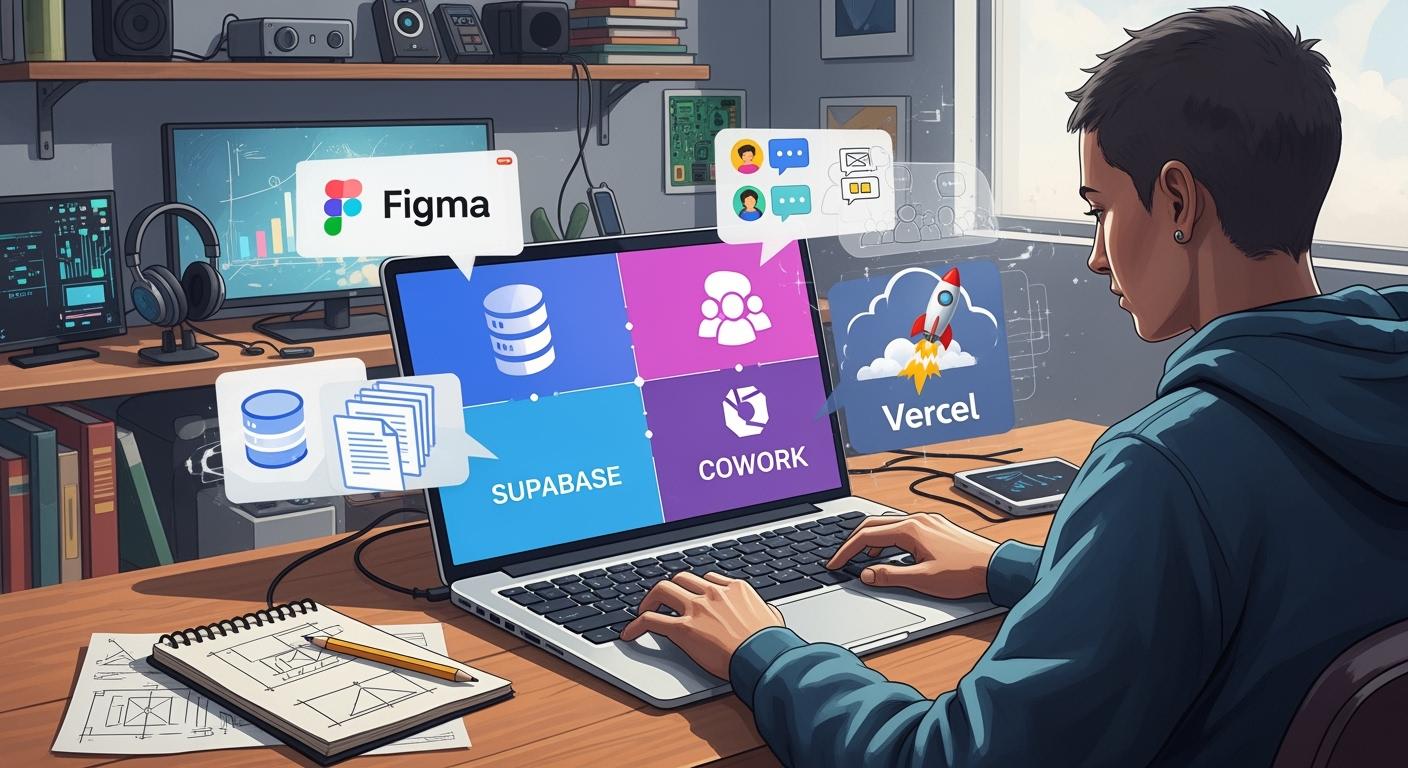
You can use Figma, Supabase, Cowork, and Vercel together. This tech stack helps you go from idea to product fast. It lets you build software for quick mvp and saas products. You get tools to work together on design, backend, and deployment. Developers like you can focus on features and vibe coding solutions. You can make minimum lovable products and full-stack apps. The tech stack gives you a way to work together when building. You can deploy and deliver ready-to-use apps. Software teams work better together and get good results with vibe coding solutions.
Tip: Use vibe coding solutions to launch products faster and make software better.
Figma: Design your product
Supabase: Build your backend software
Cowork: Get help with coding together
Vercel: Deploy your product
Key Takeaways
Use Figma to make your product design fast and easy. You can change things quickly and test ideas fast.
Use Supabase to build a strong backend in a few minutes. It helps you manage data right away and lets users log in safely.
Use Cowork as your helper for coding tasks. It makes coding easier and helps keep your project organized.
Put your app online easily with Vercel. Vercel does the hard work for you and gives you quick feedback with preview links.
Work fast to make a demo MVP in 48 hours. This helps you test your idea and get user feedback quickly.
Tech Stack Overview
Figma for UI Design
You begin your project using Figma. This tool lets you make wireframes and user interfaces fast. You can change things and see results right away. Figma works with other tools, so you move from design to code easily.
Figma turns design pieces into code for you, which saves time.
You keep your work neat by using components and templates.
You can test ideas quickly with rapid prototyping and make your product better fast.
Figma fits into your workflow, so you do less manual work and more building.
Supabase for Backend
Supabase gives you a strong backend for your MVP. You set up databases and APIs in just a few minutes. It connects smoothly with your frontend, so you link data and features easily.
Here is what Supabase gives you for development:
Capability | What You Get |
|---|---|
PostgreSQL | Production Postgres with auto APIs, RLS, realtime |
Auth | Email/social logins, MFA, JWT, RBAC |
Storage | CDN media, transforms, secure policies |
Realtime | WebSockets, presence, instant updates |
Edge Functions | TS/JS runtime, global deploys, tight integration |
You use Supabase to manage users, save files, and handle real-time changes. It works well with other tools, so backend work is simple.
Cowork as Engineering Assistant
Cowork helps you as an engineering assistant. You use it to organize your project and make code. Cowork works with your workflow, so you can focus on building features.
Here is how Cowork helps you build:
Feature | Description |
|---|---|
Project Structuring | Organizes project parts for you, so you can do bigger tasks. |
Code Generation | Makes code snippets and templates, so you spend less time on repeat coding. |
Market Research | Looks at competitors and organizes what you find for better choices. |
Cowork works with Figma and Supabase, so you move from design to code and backend setup fast.
Vercel for Deployment
Vercel makes deployment simple for solo developers. You connect GitHub and push code to go live. It fits with your workflow, so every change gets deployed right away.
Vercel handles deployment for you, so you do not need servers.
Each pull request makes a preview URL for testing.
Merging updates the live site with no downtime.
The GitHub connection gives you feedback for real-world testing.
Vercel grows with your project, so it works for MVPs and bigger apps.
You use Vercel for quick deployment and easy connection with your development process.
Rapid Prototyping Workflow

You can build a demo-ready MVP in just 48 hours using a rapid prototyping workflow. This process helps you test your idea fast and see if people want your product. Many startups fail because they do not check if the market needs their product. Early validation gives you more confidence, helps you launch faster, and can even help you raise money.
Day 1 – Design to Code
You start your rapid prototyping journey with design. Open Figma and sketch out your main screens. Draw the login page, the home page, and the core feature page. Save your designs in a folder so you can use them for coding later.
Here are some best practices for moving from Figma design to code:
Structure First, Style Second: Build the main layout before you add colors and styles.
Be Explicit with Numbers: Use clear measurements for buttons, cards, and text so your coding matches the design.
Use Chat for Quick A/B Tests: Try different layouts and compare them in real time using chat tools.
After you finish your designs, you use Cowork to help with coding. Cowork acts as your engineering assistant. You give Cowork access to your design folder and tell it your goal. Cowork plans the project, starts coding, fixes mistakes, and keeps going until you have a working app.
Claude Cowork is basically Claude Code, but for non-developers. You give Claude access to a folder. You give it a goal. It plans, executes, fixes mistakes, and keeps going.
Cowork can do work in one day that used to take a team two weeks. You get a full React app with routing, state management, and responsive layouts. Cowork generates code for each page, sets up the project structure, and adds basic interactions like form validation and button states. You save time and focus on building features instead of repeating the same coding tasks.
In a day, individually, we can coordinate a team of agents to do work equivalent to what a 2-week sprint by a scrum team could accomplish six months ago, with arguably similar output quality.
You finish Day 1 with a working frontend. You have your designs turned into code, and you are ready for backend development.
Day 2 – Backend and Launch
On Day 2, you set up your backend and get ready to launch. You use Supabase to create your database and APIs. Supabase lets you build a production-ready backend in minutes. You connect your app to real data, not just mock data. This makes your prototype reliable and ready for real users.
You may face some challenges during backend setup and deployment. Here is a table that shows common issues and how they affect development:
Challenge | Description |
|---|---|
Production-Ready Configuration | You need to set up deployment settings so your app works in real life, not just in testing. |
Database-First Integration | You must connect to real databases to make sure your app handles real data, not fake data. |
Collaborative Development | You want to let other developers work with you, which helps you build faster and better. |
After you finish backend coding, you use Vercel to deploy your app. Vercel makes deployment easy. You push your code, and your app goes live. You get preview URLs for testing, and every update goes straight to your live site.
Integrating Supabase and Vercel speeds up your MVP launch. Many founders use Next.js and Supabase to launch MVPs in weeks instead of months. The free tiers of Supabase and Vercel help you save money while you test your idea. Automatic API generation and fewer bugs mean you can work three times faster.
The CEO of Resend shared that their company grew to thousands of paying customers and processed millions of emails daily because Supabase and Vercel made their development reliable and scalable.
Speed to Market: You launch your MVP much faster.
Cost Efficiency: You save money with free tiers while you validate your idea.
Developer Velocity: You work faster and fix fewer bugs because the tools work well together.
You finish Day 2 with a live MVP. You have gone from idea to demo-ready product in just 48 hours. This rapid prototyping workflow helps you test your idea, get feedback, and improve your product quickly.
Tool Integration in the Tech Stack
From Figma to Cowork
You begin with Figma. Figma helps you plan your product’s look and feel. You use Figma files to show your ideas. When your designs are done, you give them to Cowork. Cowork looks at your Figma files and sets up your project. This saves time and stops mistakes. Figma’s Dev Mode lets you check parts, copy code, and get images. You can use Jira to keep track of design problems and get alerts. This helps you always use the newest designs.
Figma lets you import and share designs easily.
Cowork turns your Figma files into React parts and project files.
You can put Figma previews in task trackers for teamwork.
Supabase and API Integration
After your frontend is ready, you link it to Supabase. Supabase gives you a backend with a strong Postgres database. You do not need to write extra code for your api. Supabase makes your api endpoints for you. This makes your work faster and lets you focus on features. You can log into Supabase and change your database when needed. The api connection is flexible and can grow. Your MVP uses real data and can become a full product.
Supabase removes the need for manual schema and api coding.
You get quick api access for user data and projects.
The setup allows fast updates and future growth.
Vercel Deployment Steps
When your app is finished, you deploy it. Vercel makes deployment easy and quick. You connect your code repo, and Vercel does the rest. Every push starts a new deployment. You get preview URLs to test before launch. Vercel updates your app with every change. This keeps your app current. You can use ngrok to show your local api for mobile tests. Loom lets you record demo videos to share your product.
Tip: Use Vercel for fast deployment and quick feedback. This helps you find bugs early and make your app better.
Connect your repo to Vercel for easy deployment.
Use preview URLs to test before launch.
Share demos with Loom and test mobile features with ngrok.
Now, Figma, Cowork, Supabase, and Vercel work together. This setup lets you go from design to api to deployment without waiting.
Pros, Cons, and Best Practices
Advantages of This Tech Stack
This tech stack gives you many good things. You can go from idea to launch fast. Figma lets you work with others and share feedback. You and your team can make changes together. Cowork helps you write code and organize your project. Supabase gives you a cloud backend with real-time data and login tools. Vercel lets you put your app online with one click. You see updates right away.
You can link your project to github for version control. Github makes teamwork easy. You can invite other developers and track changes. Figma and github help everyone stay updated. Cloud tools keep your code and data safe.
Here is a table that shows how some developers did well with similar stacks:
Developer | Tech Stack Used | Key Achievements |
|---|---|---|
Dmytro Kudrenko | Angular, Java microservices, AWS | Grew Stripo to 1 million users, generating $400,000/month in revenue with a coding-free email builder. |
Joe Masilotti | Ruby on Rails, Tailwind UI, Heroku | Launched RailsDevs in 15 days with a $300 budget, validating the concept through a manual spreadsheet. |
Rexan | NextJS, React, Typescript, Supabase | Developed VideoFast MVP in six months, balancing school and coding, and built a supportive community. |
You can see that cloud tools, github, and teamwork help developers build and launch products quickly.
Limitations to Consider
You may face some problems with this tech stack. You need to learn how each tool works. Real-time teamwork can be confusing if people do not talk well. You must set up github for smooth teamwork. Cloud services may limit free plans. You need to check if your apps need more resources as they grow.
Real-time features can use more cloud resources. You must watch your usage to avoid extra costs. Some developers may need to change how they work to fit real-time teamwork and github. You should always back up your code and data in the cloud.
Tips for Indie Developers
You can use these tips to get the most from this tech stack:
Learn to use AI tools to work faster.
Turn Figma designs into working apps quickly.
Use real-time teamwork in Figma and github to share ideas.
Try tested prompts and real examples to solve problems.
Use cloud storage for your code and data.
Set up github early for better teamwork.
Test your apps often and get feedback in real time.
Mix Lovable, Firebase Studio, Flowise, and Copilot for a smooth AI-native app pipeline. You can go from prompt to backend, automation, and code help with real-time teamwork.
You can build strong apps with cloud tools, github, and real-time features. You help other developers by sharing your way and using teamwork. You can launch products faster and make them better with real-time feedback.
You can build MVPs quickly with Figma, Supabase, Cowork, and Vercel. This tech stack helps you move from idea to launch with speed and confidence. You get tools that work together for design, backend, and deployment. Try this workflow and see how it fits your project. If you want to learn more, explore these resources:
Advanced Figma: 4-week skills course
Vibe Coding Camp: Live workshops for Vercel and Supabase
FAQ
How do you start building with this tech stack?
You begin by designing your main screens in Figma. You export your designs, then use Cowork to generate code. Supabase sets up your backend. Vercel deploys your app online.
Can you use these tools for free?
You can use Figma, Supabase, Cowork (with Claude Max), and Vercel on free plans.
Free tiers work well for MVPs and small projects.
What skills do you need to use this workflow?
Basic UI design
Simple coding knowledge
Understanding of cloud deployment
You learn as you build. Each tool offers guides and tutorials.
How do you connect Figma designs to Cowork?
You save your Figma screens as images. You place them in a folder. Cowork reads these files and creates React components based on your designs.
What makes this stack good for indie developers?
Benefit | Description |
|---|---|
Speed | You launch products quickly. |
Integration | Tools work together smoothly. |
Cost | Free plans save you money. |
You focus on building and testing ideas.
See Also
Creating A Software Business With Cowork And Supabase
Cowork Analyzes Design Drafts While Vercel Handles Deployment
Vercel Introduces A Fresh Open Source Coding Platform

© Copyright 2025 LinkstartAI - All Rights Reserved.