Sora + Make.com automation solution for quick social media trends and advertising


You know it is tough to follow quick social media trends. The sora + make.com automation solution lets you make video ads fast. These ads are made just for each person and do not cause stress. With sora, you can change product pictures into cool video ads. These ads show what people want to see now. This automation uses Stable Diffusion to keep your products looking good every time. Marketers like you see more people interact with these videos. The engagement rates go up two or three times higher. The sora + make.com automation solution reacts to trends and gives video that feels new and personal.
Key Takeaways
Sora and Make.com let you make video ads fast. You can answer social media trends right away.
Sora uses AI tools to help you make fun videos. You do not need special skills. Anyone can make videos now.
Stable Diffusion makes your product look the same in every video. This helps people remember your brand.
Make.com can do boring tasks for you. This saves time and lets you be creative.
You can check how your video ads are doing. This helps you make better ads. Your audience will like them more and interact more.
Why Choose Sora + Make.com Automation Solution
Real-Time Trend Response
You want to catch social media trends before they fade. Sora helps you do that. You can create fresh video content in minutes, not days. When a new meme or hashtag pops up, you can jump in fast. Sora lets you make short-form video clips that grab attention. You can remix your video to match viral formats. This means your brand stays relevant and fun. You do not have to wait for a big production team. You can respond to what people talk about right now.
Here are some ways Sora stands out for real-time trend response:
You can produce many video versions in just minutes.
You can adapt your video to fit new memes or challenges.
You can keep your content fresh and exciting for your audience.
Hyper-Personalized Video Ads
You know every customer wants something special. Sora lets you make video ads that feel personal. You can show your product in different scenes, like a sneaker in a rainforest or a blender in a modern kitchen. Sora uses automation to help you create video ads for each person’s taste. You can even use written reviews to make video testimonials. This builds trust and makes your ads more believable.
Check out this table to see why Sora and Make.com are better than other tools:
Advantage | Description |
|---|---|
Sora lets you make many video versions quickly, saving you time. | |
Enhanced collaboration | You can work with your team easily because Sora connects with popular software. |
Increased productivity | Sora automates boring tasks, so you can focus on creative ideas. |
You can also use Sora for:
Localized product video ads for different regions.
Shoppable video overlays during livestreams.
Interactive video FAQs and tutorials.
Exciting video announcements for new products.
With Sora and Make.com, you get video ads that match each customer’s style and keep your brand ahead of the curve.
Core Tools: Sora, Stable Diffusion, and Make.com
You want to make creative videos that stand out. You need tools that help you move fast and keep your brand looking sharp. Let’s look at how Sora, Stable Diffusion, and Make.com work together to power your creative workflow.
Sora for AI-Powered Video Production
Sora changes the way you create videos. You don’t need to spend hours learning complicated software. You just type what you want, and Sora brings your ideas to life. This tool uses AI-powered video production to turn your text or images into creative video ads. You can show your product in any scene you imagine. Want to see your sneakers in a rainforest or your blender in a modern kitchen? Sora makes it happen.
Sora helps you focus on creative ideas, not technical details. You can make videos for social media, ads, or even tutorials. Many businesses use Sora to boost brand awareness and connect with customers. You can create professional-looking videos that help you sell more products.
Here’s what makes Sora special:
Feature | Description |
|---|---|
Loop | Makes seamless repeating videos, so you don’t need extra software. |
Blend | Mixes different clips together for more creative video styles. |
Spacetime Patches | Breaks video into 3D parts, keeping everything smooth and clear. |
Hybrid Architecture | Uses smart AI models to clean up noisy images and make videos look great. |
Text and Image Input | Lets you use both words and pictures to get creative results. |
Editing Features | Gives you tools to fine-tune, add transitions, and build smooth video loops. |
You can use Sora to make creative ads, fun social posts, or even interactive videos. The creative options are endless.
Stable Diffusion for Product Consistency
You want your product to look the same in every video. Stable Diffusion helps you do that. This tool keeps your product’s shape, color, and details consistent, no matter how creative you get with your scenes. You can use ControlNet, a special plugin, to make sure your product always looks right.
Stable Diffusion lets you focus on the creative side. You don’t have to worry about your product changing or looking strange in different videos. This means your brand stays strong and your customers always recognize your products. You can show your product in many creative ways, but it will always look just like it should.
Here’s a quick tip: Use Stable Diffusion to prepare your product images before you start your video production. This keeps your creative workflow smooth and your videos looking sharp.
Make.com for Workflow Automation
You want to save time and avoid boring tasks. Make.com helps you automate your creative workflow. You can set up rules that trigger video production when a new trend appears. Make.com connects with over 1,000 apps, so you can share your creative videos everywhere.
Here’s how Make.com helps you:
Feature | Description |
|---|---|
Data Transformation Capabilities | Changes and moves data between apps without extra tools. |
Real Time Execution and Monitoring | Shows you what’s happening in your workflow with clear logs. |
Complex Logic and Conditional Processing | Lets you set up smart rules for your creative workflow, so you can fix mistakes or review steps. |
Visual Workflow Builder | Lets you drag and drop steps to build your creative workflow, like building with blocks. |
Extensive App Integration | Connects to social media, e-commerce, and more for easy video sharing. |
With Make.com, you can focus on creative ideas and let the automation handle the rest. You can monitor your workflow in real time and make changes if you need to. This means you spend less time on busywork and more time making creative videos.
Tip: Use Make.com to watch for trending hashtags. When something new pops up, your workflow can start creative video production right away.
You now have a creative toolkit that helps you move fast, stay consistent, and automate your workflow. Sora, Stable Diffusion, and Make.com work together to make your creative video production easy and fun.
Building the Automation Workflow
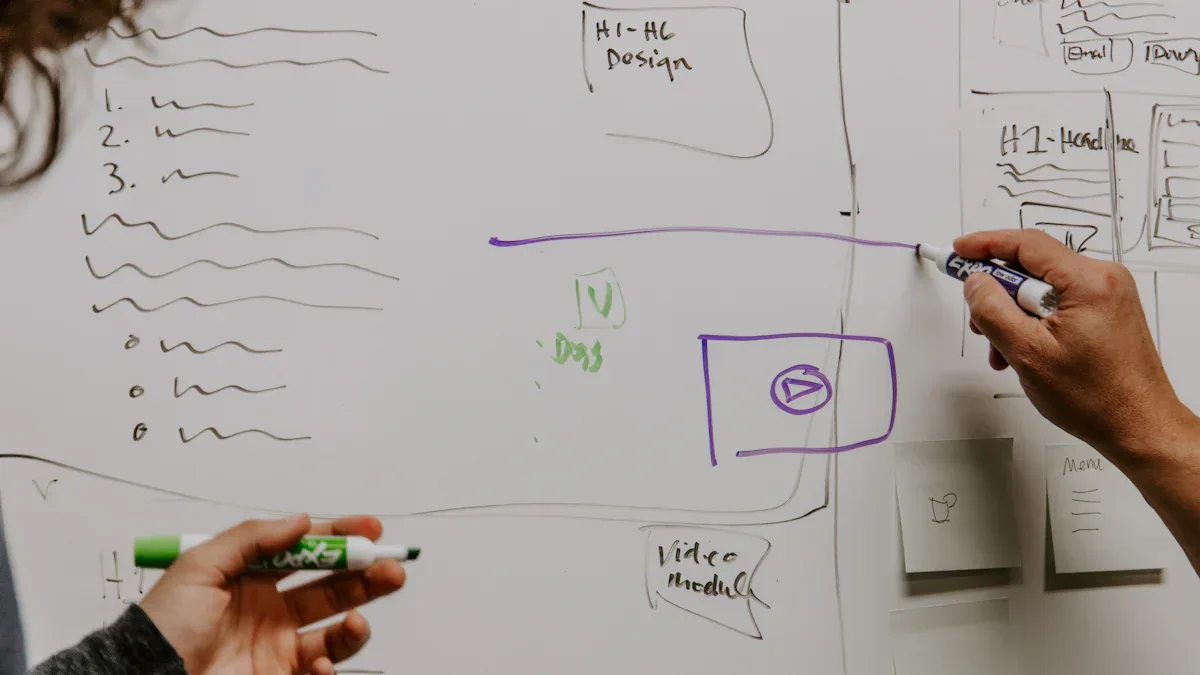
You want to turn your product images into eye-catching video ads that ride the wave of viral trends. Here’s how you can set up a smart workflow using Sora, Stable Diffusion, and Make.com. Let’s break it down step by step.
Product Modeling with ControlNet
Start with great product images. You want your sneakers, blender, or any item to look sharp and consistent in every video. ControlNet, a plugin for Stable Diffusion, helps you do this. It keeps the shape, color, and details of your product the same, even when you use different backgrounds or scenes.
Steps to get started:
Take clear photos of your product from different angles.
Use ControlNet to outline the main features. This keeps your product looking right in every frame.
Save your images in a folder for easy access.
Tip: Use bright lighting and a plain background for your photos. This makes it easier for ControlNet to pick out the details.
Scene Simulation with Sora
Now, you want to show your product in action. Sora lets you turn your product images into dynamic video ads. You can place your product in any scene you imagine—like a sneaker splashing through a rainforest or a blender mixing in a modern kitchen.
Sora uses smart modeling to make your video look real. It predicts how things move and adds smooth transitions. The physics engine in Sora 2 makes gravity, splashes, and even falling leaves look natural. You also get matching sound effects and background music, so your video feels complete.
How to create a scenario-based video:
Pick a trend or scene that fits your product. For example, “rainy day adventure” or “minimalist home.”
Write a short prompt for Sora. Example: “A sneaker running through a rainforest trail, with water splashing and birds singing.”
Upload your product image as the starting frame.
Let Sora generate the video. Watch how it adds lifelike motion and sound.
Tip: Try different prompts to see what works best. Short, clear descriptions give you the best results.
Automated Trend Monitoring and Triggering
You want your video ads to match what’s hot right now. Make.com helps you watch for viral trends and start your workflow automatically. You can use tools like Scrapeless and the Google Trends API to track keywords and hashtags.
Here’s how you can set up trend monitoring:
Connect Scrapeless to Google Trends in Make.com.
Choose keywords that match your product or audience.
Set up a variable to catch the latest trend value.
Tell Make.com to trigger your video workflow when a trend spikes.
Test your setup to make sure it works.
You can add alerts for your team or set up different rules for different products. This way, you never miss a chance to join a trending conversation.
Tip: Update your keyword list often. Look at what your audience is talking about on social media.
Content Distribution Automation
You want your video ads to reach people at the right time. Make.com can help you schedule posts, pick the best platforms, and even choose the perfect time to share. You can connect to tools like Hootsuite or Buffer to plan your content calendar.
Benefits of content distribution automation:
Schedule your video ads in advance. Hit your audience when they’re most active.
Share your videos on many platforms at once. Reach more people with less work.
Use AI to pick the best channels and times for each video.
Free up your time for chatting with customers or making new videos.
Tip: Check your analytics to see when your audience is online. Adjust your schedule for the best results.
With this workflow, you can turn product images into personalized video ads that follow viral trends. You can automate the whole process, from trend spotting to publishing. This keeps your brand fresh, fast, and always in the spotlight.
Use Cases and Templates
Social Media Trend Video Template
You want to catch the latest social buzz and make your brand stand out. With Sora and Make.com, you can create content that feels fresh and personal. Here’s a simple template you can use for creating product ads that ride the wave of social trends:
Pick a trending hashtag or meme on your favorite social platform.
Use Sora to turn your product image into a short video. Show your product in a fun or unexpected scene.
Add matching music and sound effects. Sora can do this for you.
Use Make.com to schedule and post your video at the best time.
Try making your content look like user-generated videos. People love ads that feel real and relatable.
Here’s a quick look at what you can do with these templates:
Category | |
|---|---|
Marketing & Advertising | Create video ads, product demonstrations, and social media content. |
Entertainment & Media | Make short films and animations for your brand. |
Education & Training | Build quick tutorials or how-to content. |
Business & Corporate | Share updates or internal news in a fun way. |
You can also:
Kick off viral challenges with your own video template.
Tell your brand’s story using animated content.
E-commerce Advertising Example
Creating product ads for your online store gets easier with this workflow. You can show your product in action, highlight its features, and keep your content looking sharp every time. Here’s how you can do it:
Upload clear product images to Sora. This keeps your brand consistent.
Use Sora’s advanced physics to show your product moving or interacting with its environment. For example, show a sneaker bouncing or a blender mixing.
Let Sora add sound effects and music that match the visuals.
Use the Remix feature to tweak any part of your video without starting over.
Plan your content calendar with Make.com and post your videos across all your social channels.
Description | |
|---|---|
Synchronized Audio-Visual Generation | Sora matches sound and visuals for a complete experience. |
Advanced Physics Simulation | Your product looks real as it moves or interacts in the video. |
Remix Workflow | Edit just the part you want, fast and easy. |
Upload Reference Images | Keep your product’s look the same in every piece of content. |
You can use this template for any product—shoes, gadgets, home goods, or even snacks. The workflow adapts to your needs and helps you keep your content fresh on every social platform.
Advanced Optimization Tips
Prompt Engineering for Sora
You can get the best results from Sora by mastering prompt engineering. The words you use matter a lot. Try to use clear action verbs and describe what you want to see. Sora 2 understands detailed prompts, so you can ask for things like “a sneaker splashing through a puddle in slow motion” or “a blender mixing fruit with a top-down camera angle.” This helps Sora create videos that match your vision.
Use short, direct sentences in your prompts.
Double-check spelling and grammar, especially for any text you want in the video.
Ask for specific camera moves, like dolly shots or crane angles, to make your videos look cinematic.
Control timing by mentioning if you want slow motion or quick cuts.
Tip: Always review the generated video for spelling or visual mistakes. If you spot errors, tweak your prompt and try again.
Maintaining Brand Consistency
Keeping your brand’s look and feel is important, even when you use AI. You can use templates to make sure every video follows your brand’s style, colors, and tone. Many marketers set up guardrails in their workflow. These guardrails help Sora stick to your brand’s fonts, logos, and color schemes.
Strategy | Description |
|---|---|
Keeps your videos on-brand with the right tone and message. | |
AI Guardrails | Stops Sora from using the wrong colors or styles. |
Note: Save your favorite templates and use them for every campaign. This saves time and keeps your brand strong.
Iteration and Performance Tracking
You want to know if your videos work. Track key metrics to see what your audience likes. Look at click-through rates to see how many people click your ad. Check audience retention to find out if viewers watch your whole video. Conversion rate tells you how many people take action after watching.
Metric | What It Shows | Why It Matters |
|---|---|---|
How many people click your video ad | Shows if your ad grabs attention | |
Audience Retention | How long viewers keep watching | Tells you if your content is engaging |
Conversion Rate (CVR) | How many viewers take the action you want | Helps you measure campaign success |
Try making small changes to your videos and watch these numbers. You will learn what works best for your brand.
Value and Impact
Conversion Rate Improvement
You want your ads to work better and bring more sales. With Sora and Make.com, you can see a real jump in your results. Many brands have already noticed big improvements after switching to this automation solution. Take a look at the numbers below. These show how much conversion rates can go up when you use smart video ads and automation.
Case Study | Conversion Rate Improvement |
|---|---|
E-commerce Product Videos | |
Social Media Agency | 42% improvement in client engagement metrics |
E-Learning Platform | 28% increase in course completion rates |
Real Estate Technology | 34% more booking requests for in-person viewings |
You can see that these results are not just for one type of business. Whether you sell products, run ads for clients, or offer online courses, you can get more people to take action.
Cost Efficiency and Scalability
You want to save money and do more with less effort. Sora and Make.com help you do just that. Here’s how they make your marketing team stronger and more flexible:
Sora 2 makes ad creation six times cheaper by using automation. You spend less but get more.
Automation lets you make ads fast. You can go from idea to finished video in minutes.
You can test many ad versions in one day. This means you can find what works best without waiting weeks.
Tip: Try making several versions of your ad. See which one your audience likes most.
Real-Time, Personalized Marketing
You want your ads to feel fresh and personal. Sora and Make.com let you create content that matches what people want right now. Many marketers have spent hours exploring Sora’s features. They found that the most fun and eye-catching videos get the best results. You can try different ideas, learn from what works, and keep improving.
Simple prompts often give you the best videos.
You can make ads that look and feel unique for each person.
Marketers trust AI-generated ads to keep their brand ahead of trends.
Note: The future of marketing is real-time and personal. With these tools, you can lead the way.
You can use Sora and Make.com to market in a smarter way. These tools help you make videos that feel new and special for each shopper. Try using your own ideas with AI tools. Here are some tips to get started:
Learn new things like prompt engineering.
Set up Sora, check how it works, and keep making changes.
Ask AI experts for help if you need it.
"AI lets businesses talk to each customer in a special way every day. This change from old ads to new, smart ones means AI-powered personalization is not just nice to have. It is something you must do.
FAQ
How fast can you create a video ad with Sora and Make.com?
You can make a video ad in minutes. The automation workflow reacts to trends right away. You do not need to wait for a big team or long edits.
Do you need coding skills to use this solution?
No, you do not need to code. The workflow uses drag-and-drop tools and simple prompts. You can set up everything with easy steps.
Can you keep your brand style in every video?
Yes! Stable Diffusion and templates help you keep your brand colors, logos, and style. Your videos always look on-brand.
What platforms can you publish to automatically?
You can post to Instagram, TikTok, Facebook, and more. Make.com connects with many apps. You can schedule and share your videos everywhere.
See Also
Streamlining Content Marketing With Cowork And Zapier Tools
Cowork And Zapier: The Future Of Content Operations 2026
Best 10 AI Tools For TikTok Video Creation In 2025

© Copyright 2025 LinkstartAI - All Rights Reserved.