New Nano Banana release and features
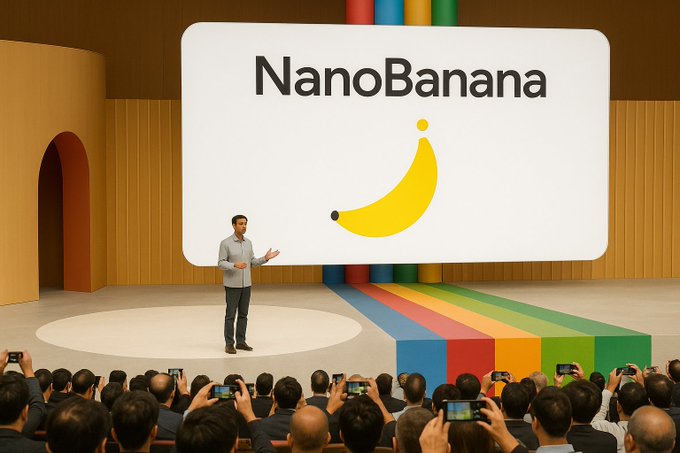
You can now try the new nano banana for AI image editing. It lets you do wild things like mask removal, character consistency, and multi-image fusion. Early users love creating social ads, e-commerce shots, and lifestyle scenes. Nano-banana just launched in Google AI Studio, so you’ll see it everywhere.
Check out some favorite use cases:
Use Case
Result
Hero E-commerce Shot
Professional product image
Instagram Social Ad
Eye-catching marketing asset
Gym Lifestyle Scene
Authentic lifestyle image
Key Takeaways
Nano Banana simplifies AI image editing with intuitive, prompt-based tools. Users can achieve professional results quickly without complex menus.
Character consistency is a standout feature. Nano Banana retains character details across edits, making it easy to create cohesive stories.
Multi-image fusion allows seamless blending of images while maintaining natural results. This feature boosts conversion rates for businesses using product images.
New Nano Banana Features
Nano-Banana Editing Tools
You get a whole new level of control with the new nano banana. The editing tools let you do things that used to take hours. You can remove masks, color line art, create anime scenes, and even transform images into 3D. The best part? You just type what you want. No need to learn complicated menus or click a hundred buttons. The nano-banana listens to your instructions and gets it done fast.
Check out how these editing tools stack up against Photoshop:
Feature | Nano-Banana Editing Tools | Photoshop |
|---|---|---|
Editing Method | Intuitive prompt-based editing using natural language | Manual selection and editing |
Multi-Image Fusion | Seamlessly combines elements from multiple images | Requires manual layering |
Semantic Understanding | Strong visual reasoning for complex instructions | Limited contextual understanding |
Speed | Generates results in seconds for rapid tasks | Slower image generation |
Watermarking | Includes visible 'AI' watermark and invisible SynthID | Standard watermarking options |
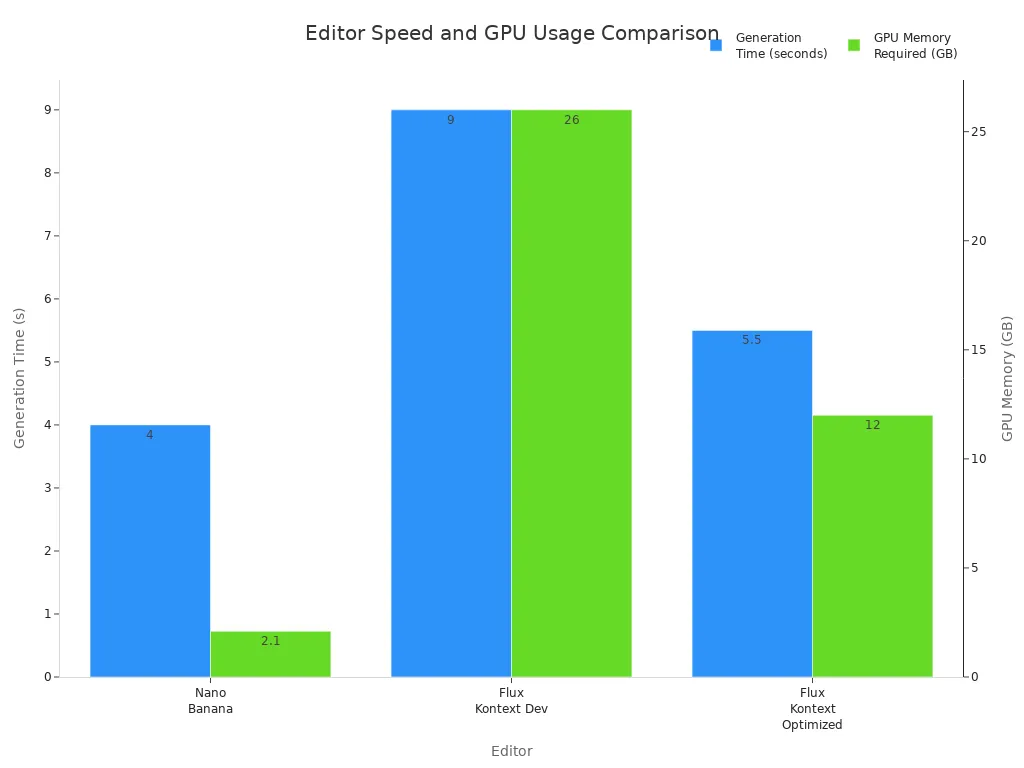
You can see that nano-banana makes advanced ai image editing simple and quick. You get results in seconds, not minutes. The workflow feels smooth and natural. You don’t need a powerful computer, either. Nano-banana only needs 2.1GB of GPU memory and takes about 3-5 seconds to generate an image. Here’s a chart that shows how it compares to other editors:
Character Consistency
Have you ever tried to make a series of images with the same character? It’s tough with most tools. The new nano banana changes that. You can keep your character’s look, pose, and style across every edit. If you want to tweak a smile or change an outfit, nano-banana remembers every detail.
Users love how easy it is to create a whole story with one character.
You can make small changes and nano-banana keeps everything consistent.
It preserves facial features, body proportions, and unique traits with amazing accuracy.
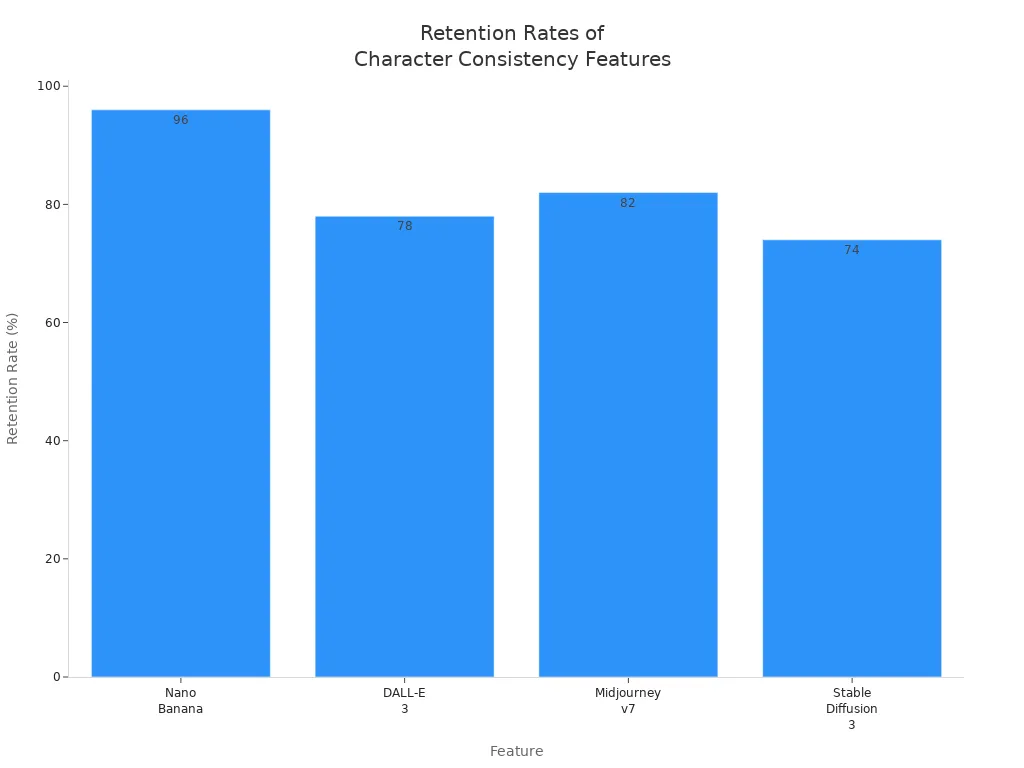
Nano-banana leads the pack in character retention. Take a look at these numbers:
Feature | Retention Rate |
|---|---|
Nano Banana | 96% |
DALL-E 3 | 78% |
Midjourney v7 | 82% |
Stable Diffusion 3 | 74% |
Multi-Image Fusion
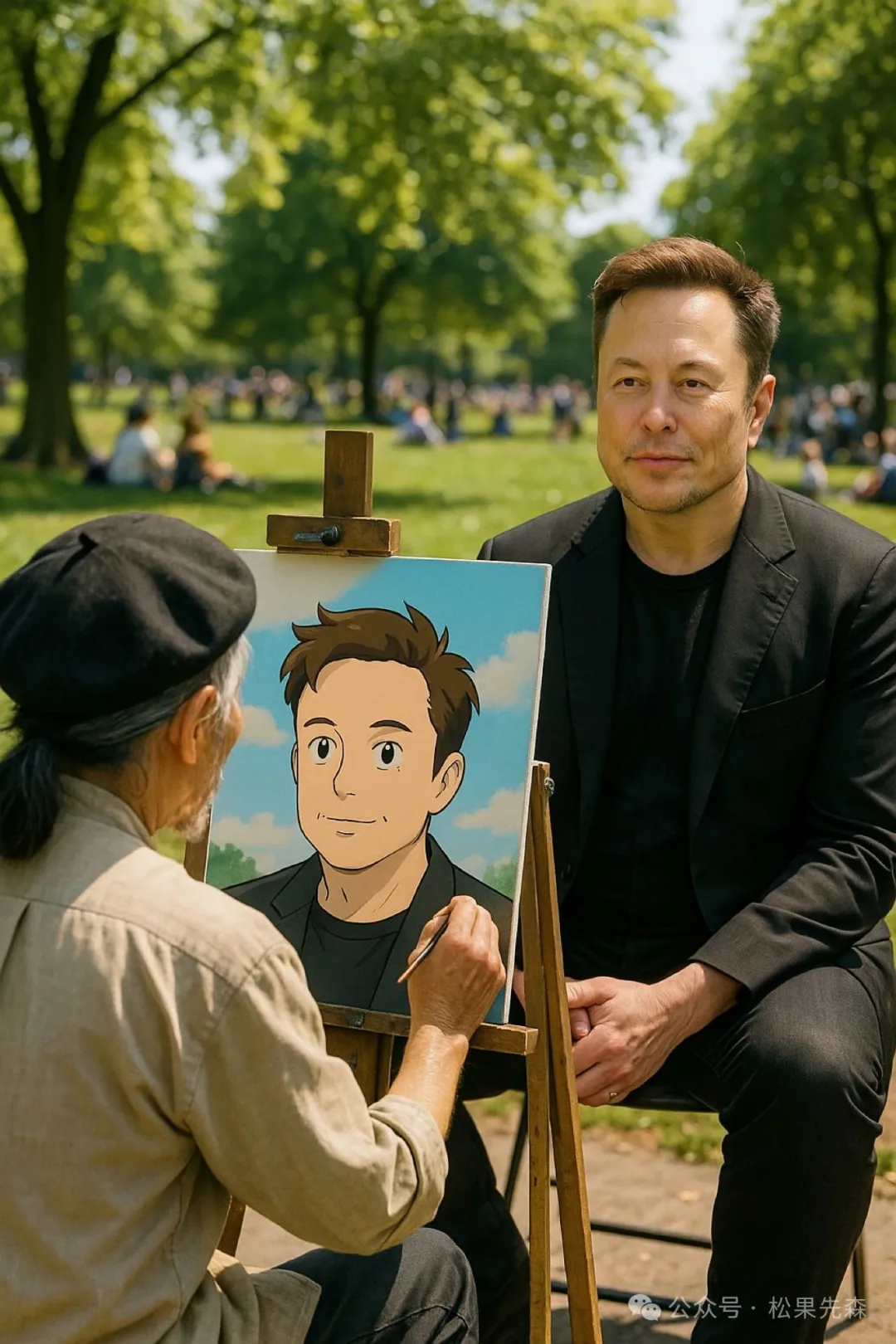
You can blend several images together and keep everything looking natural. Google nano banana lets you combine backgrounds, characters, and objects from different photos. The model keeps your character consistent, even if you edit the image many times. You don’t have to worry about losing details or getting weird results.
Nano-banana stands out because it understands what you want. It keeps the lighting, composition, and style just right. You can use multi-image fusion for e-commerce, social ads, or creative projects. In blind tests, nano-banana wins 70% of the time against other models for photorealism and text rendering. Style transfer works great too, with 92% style consistency. Businesses have seen a 34% boost in conversion rates when they use nano-banana for product images.
Tip: Try multi-image fusion to create unique scenes for your brand. You’ll get professional results without hiring a whole team.
Nano-banana rivals traditional software in many ways. You get natural language editing, scene preservation, and layout-aware outpainting. You can edit a whole set of images and keep everything matching. Users say they feel “blown away” by the results. Some companies even save millions on photography costs.
Google Nano Banana Access
Availability
You can use google nano banana almost anywhere in the world. The model is available in over 180 countries, so you don’t have to worry about missing out. If you live in Southeast Asia, you get special access because Google wants everyone to try it. You just need to open Google AI Studio and search for the official model name. Here’s a quick look at where you can use it:
Region/Country | Availability Status |
|---|---|
Global | Available in over 180 countries |
Southeast Asia | Especially easy to access |
When you start editing, you’ll see the model listed as “Nano Banana.” Sometimes, you might see “Gemini 2.5 Flash Image” as a nickname, but Nano Banana is the official name now.
Model Name | Version |
|---|---|
Gemini 2.5 Flash Image | Nano Banana |
You don’t need a fancy computer or special software. Just log in to Google AI Studio and you’re ready to explore all the cool features.
Pricing
You probably want to know how much it costs to use nano-banana. Good news! You can test it for free if you use the Gemini app. If you want more images or higher limits, you can choose a paid plan. Here’s how the pricing works:
You pay about four cents for each image when you use the API.
Free-tier users can try nano-banana with some limits.
Paid plans give you more images and faster results.
Developers can use nano-banana through AI Studio, Vertex AI, or the Gemini API.
You can start with a free trial to see if it fits your needs.
You get flexible options, so you can pick what works best for you. Whether you’re a student, a business owner, or a developer, you’ll find a plan that matches your workflow.
Ethical Use
Google nano banana takes responsible AI use very seriously. Every image you create gets a special watermark called SynthID. This technology comes from Google DeepMind. It puts both visible and invisible marks on your images, so people know they were made by AI. This helps everyone trust what they see online.
SynthID watermarking uses digital marks to show an image is AI-generated.
You get both visible and invisible watermarks for extra security.
These marks help stop fake images and keep things transparent.
Google nano banana also follows strict rules to keep things safe and fair. The system uses built-in filters to block inappropriate content. You must follow the rules about what you can and can’t make. The model follows ethical guidelines and works to prevent misinformation. Here’s a table that shows how google nano banana keeps things ethical:
Feature | Description |
|---|---|
Built-in content filtering | Blocks inappropriate content |
Prohibited use policy compliance | Makes sure you follow the rules |
Ethical AI guidelines implementation | Uses best practices for responsible AI |
Misinformation prevention measures | Stops the spread of false information |
SynthID Integration | Adds watermarks to every image |
Transparency | Uses visible and invisible marks |
Detection Tools | Helps identify AI-generated images |
Accountability | Tracks where images come from |
You can feel confident using the new nano banana for your projects. Google’s watermarking and safety tools make sure you stay on the right side of AI ethics. You get powerful features and peace of mind at the same time.
You get more control and speed with the new nano banana. Users love the character consistency and fast editing. Experts say you should use AI responsibly and stay transparent. Check out what’s coming next:
Upcoming Feature | What It Does |
|---|---|
Makes images clearer | |
Restore faces | Fixes hidden or blurry faces |
Try nano-banana today and see what you can create!
FAQ
How do you start using Nano Banana?
You just sign in to Google AI Studio, search for "Nano Banana," and begin editing your images. No extra software needed!
Can you use Nano Banana for commercial projects?
Use Case | Allowed? |
|---|---|
Social Ads | ✅ |
E-commerce | ✅ |
Personal Art | ✅ |
You can use it for business or personal work.
What makes Nano Banana different from other AI editors?
You get fast results with natural language prompts.
Nano Banana keeps your characters consistent and blends images smoothly.
You don’t need advanced editing skills.
See Also
Jule: The AI Tool Simplifying Software Development Processes

© Copyright 2025 LinkstartAI - All Rights Reserved.