How to build modern Instagram-style lifestyle collages with Nano Banana Pro

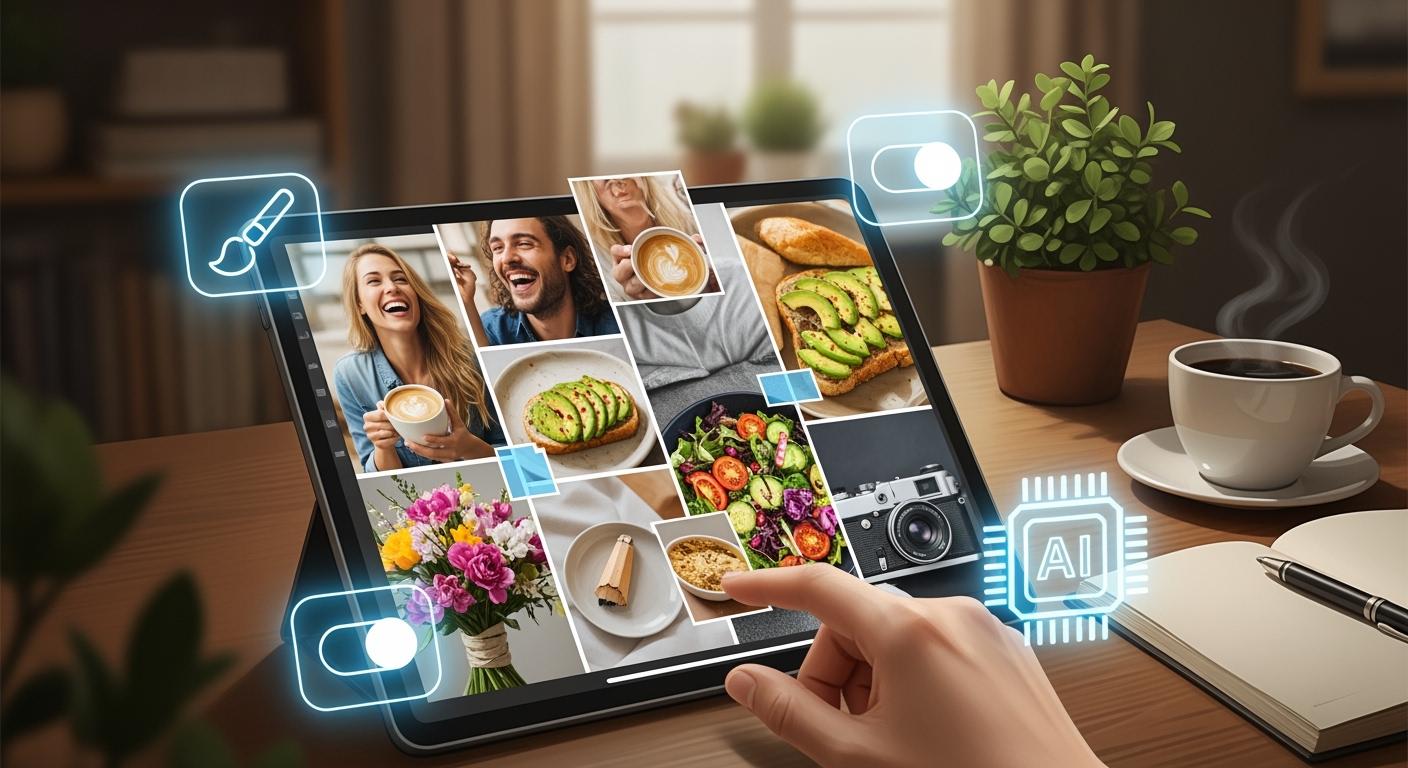
You want your collage to have a cool and modern vibe. Gen Z is leading the way in creating modern Instagram-style collages on Pinterest, and brands are leveraging them to showcase their unique style. With Nano Banana Pro, you don’t need to stick to perfect grids. Instead, you can craft your collage to resemble a magazine page. Experiment with pictures of varying sizes and change up your layouts to let your personal style shine through. Use effective prompts and images for inspiration. You can avoid mistakes by staying calm and confident in your creative choices.
Popularity Among Users | Engagement Rate | Brand Engagement |
|---|---|---|
Gen Z: 72% creators | 3x save rate | Brands use collages for creative mashups |
Start creating modern Instagram-style collages that feel special and authentic.
Key Takeaways
Use Nano Banana Pro to make cool collages that show your style. Try different layouts and picture sizes for a fresh look.
Pick pictures that fit the mood you want. Mix casual, work, and fancy photos for a fun collage.
Write clear prompts for better results. If you say what colors and styles you want, your collage will match your ideas.
Try layouts that are not even and let pictures overlap. This gives your collage more depth and makes it exciting.
Make sure your design is balanced. Leave some empty space and use different picture sizes to keep it neat and nice.
Why Nano Banana Pro for Modern Instagram-Style Collages
Editorial Aesthetic Features
You want your collage to look special and new. Nano Banana Pro has tools to make modern Instagram-style collages that look like magazine pages. You can choose layouts that fit your brand colors or themes. Try out different templates until you find one you like. Some layouts are neat and organized. Others look more like a scrapbook or magazine. If you want your collage to feel lively, pick magazine-style or uneven layouts. These choices help your collage connect with people and get more likes.
Tip: Always think about what your followers enjoy. If they like bright colors, use those. If they like soft colors, keep your collage gentle.
Here’s a quick look at what makes Nano Banana Pro special:
Feature | Description |
|---|---|
Nice colors, balanced layouts, and good-looking designs | |
Flexible styles | Pastel, cinematic, moody, retro, minimalist, and other styles |
Any aspect ratio | Works with 1:1, 4:5, 3:4, 9:16 aspect ratios |
User-Friendly Workflow
Nano Banana Pro makes it easy to build collages, even if you are new. You can start with a mood board and change your images until you like them. The interface helps you step by step. You can upload many images, write a prompt, and let the tool set them up for you. It can arrange up to 14 images at once, so you save time and energy.
Users say Nano Banana Pro is easy to use.
You can mix images and keep characters the same.
The process is quick, so you can make content every day or in batches.
Workflow Step | Description |
|---|---|
Make a collage that shows your project’s style. | |
Iterative Refinement | Keep changing your collage for a better result. |
Creative Control
You can change every part of your collage. Want to switch the layout or colors? You can do that. Need to add words or move pictures? Nano Banana Pro lets you change things with prompts and simple editing. You can upload many reference images and put them where you want. This freedom helps you make modern Instagram-style collages that show your ideas.
Pick the canvas size and aspect ratio.
Choose the camera angle and lighting for each image.
Add or change text for captions or labels.
Save your favorite designs for later.
Feature | Description |
|---|---|
Multi-Reference Control | Upload and place many images with prompts. |
Text Control | Add, change, or remove text easily. |
Nano Banana Pro gives you tools to make collages that feel special and personal. You can try new things and see what works best for your brand or style.
Collage Creation Steps
Start with Reference Images
Picking good reference images is the first thing to do. Think about the mood you want for your collage. Do you want it to look casual, professional, or have a special style? Here’s a quick guide to help you pick:
Image Type | Description |
|---|---|
Casual | Pictures with friends having fun, not perfect poses. |
Professional | Photos that look neat and try to get lots of likes. |
Designed | Images that show a cool, city lifestyle, great for Instagram. |
If you want your collage to look like a magazine, mix these types. Use some natural photos, some posed ones, and some showing places or outfits you like. Try using different angles, like from the back or side. This makes your collage look more like a magazine and less like a simple photo grid.
Tip: Pick images with different sizes and shapes. This helps your collage look more interesting and less boring.
Write a Detailed Prompt
Now, you need to tell Nano Banana Pro what you want. The prompt is very important. If you give more details, your collage will look better. Here’s why:
Detailed prompts help Nano Banana Pro make real and accurate collages.
If you say what colors, things, and style you want, your collage will match your idea.
A clear prompt gives you a nicer and more stylish collage.
“Give lots of details about the image you want. The more details you give, the better Nano Banana Pro will understand your idea.”
Here’s an example prompt you can use or change for your collage:
Lifestyle collage with different sized images, modern Instagram / Pinterest style, fitness and beach theme. The collage has many photos placed in a loose, uneven way, with different sizes and shapes together in a relaxed, magazine-like layout. No perfect grid. Some pictures overlap and have different spaces for a natural look. Image Content: Adult women with fit bodies, in different places. Beach scenes at sunset with ocean waves and warm light. Outside with palm trees and pool. Inside mirror selfie with casual workout clothes. Back and side poses showing posture and body lines. Activewear, bikinis, and workout clothes in neutral, black, and soft colors. People look confident, calm, and stylish, in natural or slightly posed moments. Faces are partly hidden or turned away, making it feel like a lifestyle magazine, not a portrait. Color & Lighting: Warm highlights and soft shadows. Natural daylight and sunset colors. Earthy neutrals, skin tones, soft blacks and greens. Same color style for all images. Visual Style: Instagram lifestyle collage. Fitness and wellness look. Magazine mood. Natural, real photos. Soft contrast. Camera & Composition: Mix of full-body, medium, and close-up shots. Different views. Natural blur. No perfect symmetry. Relaxed magazine layout. Mood Words: Confident. Natural. Stylish. Summer lifestyle. Fitness. Calm. Magazine. Negative Prompt: Perfect grid, same image sizes, thick borders, text on top, logos, watermarks, strange body shapes, too much focus on bodies, fake look, cartoon style, harsh light.
You can copy this prompt or change it for your own style. Just remember to make it clear and detailed.
Generate and Refine
You are ready to make your collage. Here’s how you do it step by step:
Open Nano Banana Pro and start a new project.
Upload your reference images. Pick a mix of casual, professional, and designed photos.
Paste your detailed prompt into the prompt box.
Click “Generate” and watch Nano Banana Pro make your collage.
Nano Banana Pro will put your images in a loose, uneven layout. You’ll see different image sizes, some overlap, and mixed shapes. Your collage won’t look like a perfect grid, and there won’t be thick borders. This is what makes Instagram-style collages look fresh and special.
If you want to change things, use the editing tools. You can move pictures, change colors, or swap photos. Try editing more than once to keep making your collage better until it looks right.
Here’s a simple checklist to help you avoid mistakes:
Mistake | Explanation |
|---|---|
Not picking the right theme | If you go too wide or too narrow, your collage might not work. Stay focused on your main idea. |
Adding too many things | Too much stuff can make your collage messy. Start with the most important things. |
Not using real photos | Use real pictures and moments. This makes your collage feel real and easy to relate to. |
Note: Always check if your collage feels balanced. If it looks too crowded or too empty, change the spaces and image sizes. You want it to look imperfect but still planned.
When you finish, save your collage and share it with friends or followers. Instagram-style collages look best when you try uneven layouts, different image sizes, and relaxed styles. You’ll make something new every time.
Design Tips for Instagram-Style Collages
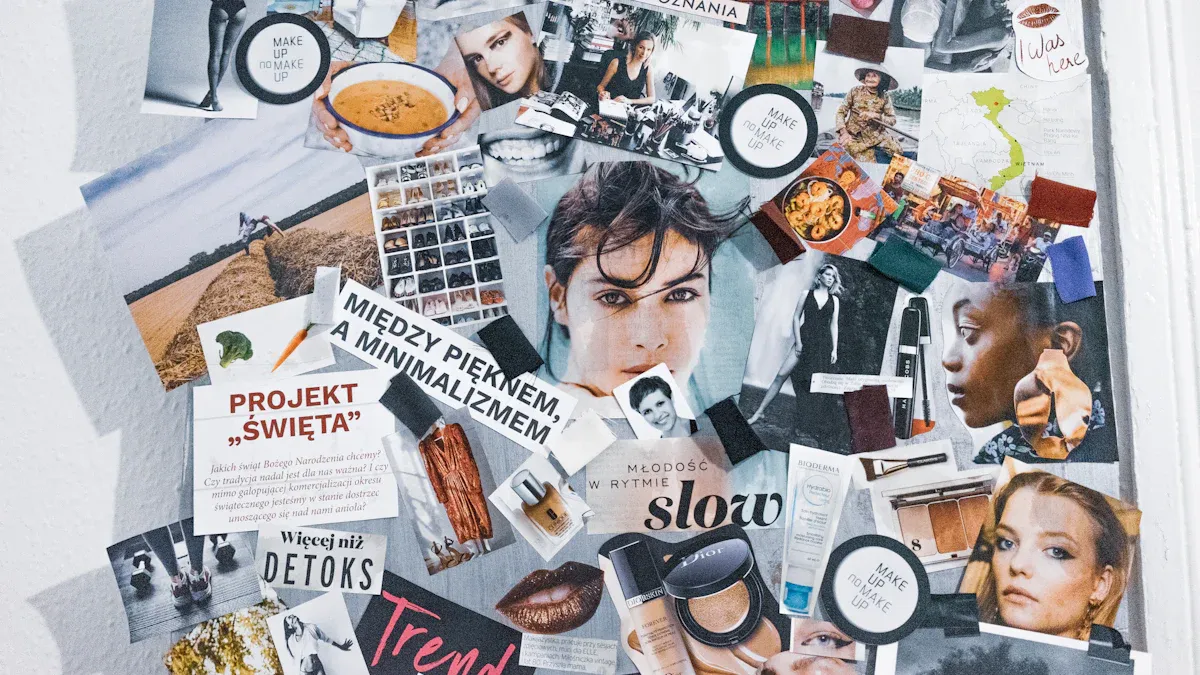
Asymmetrical Layouts
You want your collage to be different. Try an asymmetrical layout, not a perfect grid. This style looks more fun and relaxed. Use images of different sizes. Put some photos close together. Give other photos more space. Overlap a few pictures for a magazine look. Mixing shapes and sizes adds depth and energy.
Here are some easy tips for arranging images:
Put your images on a table or screen first.
Mix small and big photos for interest.
Keep spaces between images the same for neatness.
Pick a theme, like fitness or summer, to connect everything.
Spread colors out so one side is not too heavy.
Tip: Leave some empty spots. This helps your collage look open and not crowded.
Mood and Color Choices
Colors help set the mood of your collage. Warm colors like gold and peach feel sunny and relaxed. Cool blues and greens feel calm and fresh. Pick colors that match your story. If you want a summer look, use soft yellow, beige, and blue.
Colors can show trust, energy, or calmness.
Pick colors that fit your brand or style.
Use the same color filter on all images for a smooth look.
Try using layers or filters to blend your images. This makes your collage look like one big story, not just random photos.
Editorial Collage Layouts
Editorial layouts look like magazine pages. They use different image sizes, overlaps, and lots of variety. Try different styles to see what fits your story.
Layout Type | Description |
|---|---|
Asymmetrical | Uneven image sizes and placements. Adds energy and helps tell a story. |
Overlapping | Images layered over each other. Creates depth and movement. |
Strip | Images in a row or column. Great for showing a timeline or process. |
Center-Focus | One big image in the middle, smaller ones around it. Draws attention fast. |
You can use empty space to keep your collage clean. Focus on fitness and summer themes for more likes. Use real moments and natural poses. Many creators use Instagram-style collages to share stories and connect with people.
You now know how to make Instagram-style collages with Nano Banana Pro. Use uneven layouts and mix up the sizes of your images. This makes your collage look relaxed and real. Imperfection gives your work style and helps it stand out. Try new themes to create stories and moods that get attention. If you want more help, look at these guides:
20 Nano Banana Pro Slides Prompts You Need to Try for Stunning Presentations
How to Try Prompts in AI Studios with Nano Banana Pro (2026 Edition)
Show your collage to others and try new ideas. You could inspire someone else!
FAQ
How do I pick the best images for my collage?
Pick images that fit your theme. Use photos with natural light. Choose relaxed poses and different sizes. Mix beach, fitness, and lifestyle pictures. This gives your collage a fresh look.
Can I change the collage after generating it?
Yes! You can move pictures and change colors. You can swap photos with Nano Banana Pro’s editing tools. Try new layouts until you like how it looks.
What makes an Instagram-style collage stand out?
Different image sizes
Uneven layout
Pictures overlap naturally
Same color style
These things make your collage look modern and special.
Is Nano Banana Pro easy for beginners?
Feature | Beginner Friendly? |
|---|---|
Upload images | ✅ |
Write prompts | ✅ |
Edit layout | ✅ |
You can start making collages fast, even if you are new!
See Also
Improving Your Prompt Writing Skills for Nano Banana
Latest Features and Updates in the Nano Banana Release
Crafting Captivating Social Media Graphics Using AI Tools
Establishing Your Own Content Empire with Cowork and Airtable

© Copyright 2025 LinkstartAI - All Rights Reserved.