How I created 10 complete songs using ACE Studio, ChatGPT, and Runway in 5 days

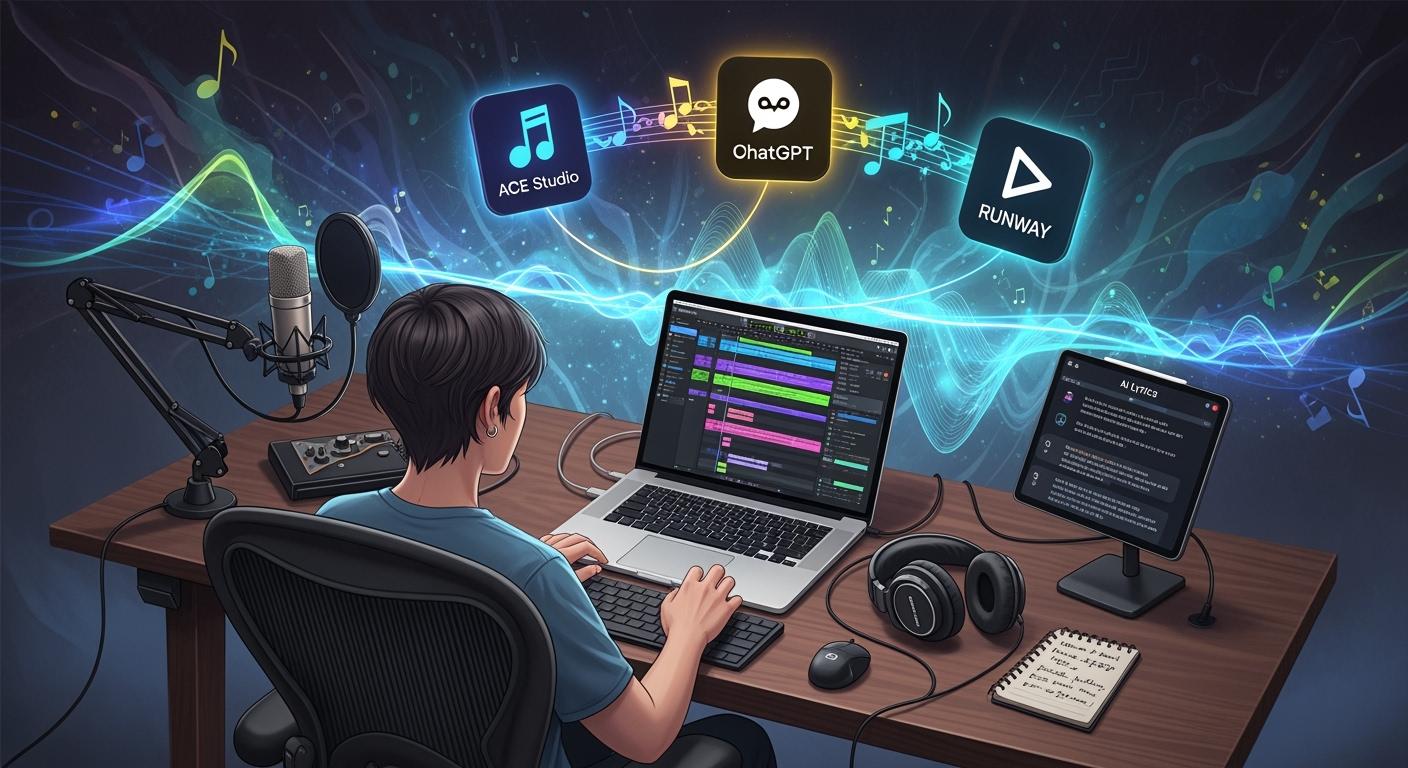
You can create 10 complete songs in just 5 days with ai tools. That sounds wild, right? ACE Studio handles AI vocals and custom sound training. ChatGPT helps you spark lyric ideas and shape your music. Runway takes care of video content creation and social sharing. These tools work together in a unified workflow. You no longer need months for music production. Now, you can move from idea to release in days.
Key Takeaways
You can use ACE Studio, ChatGPT, and Runway together to make music fast. These tools help you finish 10 songs in only 5 days.
Begin making your music by using ChatGPT to write lyrics. ChatGPT helps you think of ideas and write all your lyrics in just a few minutes.
ACE Studio gives you AI vocals that sound real. You can train your own voices or use presets. This makes your lyrics sound full of feeling.
Runway makes it easy to create videos. It helps you make cool music videos that match your songs. You can share these videos on social media.
This AI process saves you time and money. Making music the old way can take months and cost a lot. AI tools let you spend more time being creative.
AI Music Production Workflow Overview
Tools Used: ACE Studio, ChatGPT, Runway
You want to make music faster and easier. You can do this with three main tools. ACE Studio lets you create AI vocals that sound real and unique. Chatgpt helps you write lyrics, brainstorm ideas, and even shape your song structure. Runway gives you the power to make music videos and share them on social media with just a few clicks. These tools work together like a team. Each one has a special job, but they all help you finish your songs quickly. You do not need to be a pro at every step. The ai tools guide you from start to finish.
Workflow Stages for 10 Complete Songs
Let’s break down the workflow you can use to create 10 complete songs. You move through five main stages:
Lyric and Concept Generation
Use chatgpt to spark ideas and write full lyrics. You can ask for hooks, verses, or even a theme for your music.MIDI and Arrangement
Arrange your melody and chords in a DAW. Chatgpt can help you plan the structure or suggest chord progressions.AI Vocal Synthesis
Bring your lyrics to life with ACE Studio. You can train custom voices or pick from presets.Mixing and Mastering
Use your favorite plugins or built-in tools to polish your track. Chatgpt can give you tips for mixing.Video Creation and Social Sharing
Runway helps you make music videos. You can use its ai features to edit and then share your music everywhere.
Note: With this workflow, you can finish a song in hours, not months. Traditional music production might take six months and cost thousands. Now, you can do it in five days for a fraction of the price. The tools talk to each other, so you never lose your flow.
Workflow Type | Time Needed | Cost (per song) |
|---|---|---|
Traditional | 6 months | $500–$2000 |
AI Workflow | 5 days | ~$93 |
You can see how much time and money you save. The ai tools let you focus on creativity and finish more music.
Step-by-Step Music Creation Process
You want to make 10 complete songs in five days. Let’s look at each step in the process. You will see how ChatGPT, ACE Studio, and Runway help you turn ideas into finished music. Each step saves time and lets you be creative.
Lyric Generation with ChatGPT
Start by making lyrics. ChatGPT makes this easy and fun. You can type things like “Write a pop song about summer memories” or “Give me five verses and a catchy hook about chasing dreams.” ChatGPT gives you full lyrics in seconds. For better results, try these tips:
Change the rhyme scheme if lines sound strange.
Make boring metaphors more interesting.
Make sure your song tells a clear story.
You can use more than one prompt. Ask ChatGPT to change the tone or syllable flow. Try your lyrics in different music styles. Always check that your lyrics are original and not copied. Add your own edits to make the song yours.
Ensure originality checks |
Avoid artist name imitation |
Use constraints responsibly |
Allow human editing layers |
Use iterative prompting |
Refine tone incrementally |
Validate syllable flow |
Test across genres |
You can finish lyrics for one song in about an hour. For 10 complete songs, you only need one day. This saves a lot of time compared to writing by hand.
MIDI and Audio Arrangement
Next, arrange your music. Open your DAW, like FL Studio or Ableton Live. Put your lyrics in and start making the melody and chords. ChatGPT can help you plan the song or suggest chord progressions. You can ask for things like “Suggest a chord progression for a happy chorus” or “What’s a good bridge for these lyrics?”
Here is a simple way to arrange MIDI and audio:
Listen to the AI parts. Do they fit the mood?
Edit the MIDI notes. Change timing or record again if needed.
Add more layers. Mix AI parts with your own recordings.
Add effects like EQ, compression, reverb, and delay.
Try different AI settings to find the best sound.
You can arrange music for one song in about eight hours. For 10 complete songs, you can finish this part in a day or two if you work in batches.
AI Vocal Synthesis in ACE Studio
Now, bring your lyrics to life with ACE Studio. This is where ai generation is really cool. Pick a preset voice or train your own. Upload your MIDI and lyrics. ACE Studio makes vocals that match your melody and timing.
AI vocals sound real and show emotion. They can change tone and pitch. Sometimes, they might sound stiff or robotic, especially in long or emotional songs. You can fix this by editing pitch, timing, and dynamics. Spend time making the voice sound more emotional.
Always check for feeling in the vocals. Add small pitch changes and adjust how words are sung. This makes your ai vocals sound more real. For 10 complete songs, you can finish vocals in about six hours.
Mixing and Audio Mastering
You want your music to sound great. Mixing and mastering are important steps. Upload your tracks to an AI mixing tool or use your favorite plugins. The AI checks your audio and adds EQ, compression, and stereo effects. You can pick presets for different music styles.
AI mastering tools let you hear different styles right away. You can choose the one you like best. Adjust the master for more character and depth. Think of AI as your helper. It does the hard work, so you can focus on the final touches.
Human engineers are still better at making music clear and dynamic. AI mastering can sometimes sound too squished or less lively. Still, for 10 complete songs, you can mix and master everything in just three hours.
Video and Social Distribution Automation
You want people to hear your music fast. Runway helps you make music videos with ai. You can make good videos without expensive cameras. The tool matches visuals to your music’s beats and lyrics. You can pick vertical or horizontal videos for TikTok, Instagram, or YouTube.
Here is what you get:
Feature | Description |
|---|---|
AI Music Video Generation | Produce high-quality videos quickly without pro equipment |
Syncs to Music | Align visuals with beats and lyrics for more engagement |
Format Options | Vertical and horizontal for TikTok, Instagram, YouTube |
Direct Uploads | Seamless uploads to Spotify and YouTube |
You can use tools like Buffer or Hootsuite to share your music everywhere. Schedule posts and publish your music with one click. For 10 complete songs, you can finish video making and sharing in about eight hours.
Tip: Do your video and social tasks together. This saves time and keeps your release plan on track.
Now you have a full workflow for making 10 complete songs. ChatGPT helps with lyrics and structure. ACE Studio does ai vocals. Runway and other tools handle video and sharing. You save time, get more creative, and finish more music than before.
Cost and Time Breakdown for 10 Complete Songs
Tool Costs and Alternatives
You might want to know how much money you need for ai music. Here is a simple chart that shows the main tools and what they cost. You can also look at cheaper options if you want to save money.
Tool | Monthly Cost | Annual Cost | Must-Have | Alternatives |
|---|---|---|---|---|
ChatGPT Plus | $20 | $240 | No | Claude, Gemini |
ACE Studio | $22 | $264 | Yes | Synthesizer V ($8/mo) |
DAW (FL/Ableton) | $0* | $0* | Yes | Logic Pro ($200 one-time) |
Runway | $25 | $300 | No | Canva, Adobe Firefly |
Social Automation | $10 | $120 | No | Manual Posting |
*Most people who make music already have a DAW. You might not need to buy one.
Here are some other ai tools you can try:
Suno AI: Makes whole songs from your words.
Soundraw: Writes background music you can use for anything.
AIVA: Makes new music for movies and games.
Time Savings vs Traditional Music Production
You may wonder how much time you can save. With ai tools, you can finish a song in just minutes or hours. Old ways of making music take days or even months. You get to be creative while ai does the hard work. For 10 complete songs, you only need about 26 hours. The old way could take more than 200 hours. That is a big difference.
You get to spend more time making music and less time waiting for changes or studio time.
ROI and Quality Assessment
You want your music to sound really good. Let’s see how you can check the quality. Experts use different ways to see if ai music is as good as music made by people.
Metric | Description |
|---|---|
Checks if the chords and key stay the same. | |
Rhythmic Precision | Looks at how steady the beat and tempo are. |
Melodic Coherence | Sees if the melody makes sense and flows well. |
Timbral Authenticity | Measures how real the instruments sound. |
Structural Integrity | Checks if the song has a strong structure and changes. |
Emotional Resonance | Judges how the music makes people feel. |
You can use computer scores, expert opinions, and listener tests to rate the music. Most ai music gets high scores for harmony and rhythm. The feeling and realness of the sound keep getting better as ai improves. You get music that sounds pro for a lot less money.
Challenges and Solutions in AI Audio Workflow
Every creative journey comes with a few bumps. When you use an ai-powered workflow for music, you’ll face some unique challenges. Let’s look at the most common ones and how you can solve them.
Overcoming Creative Blocks with ChatGPT
Sometimes, you just can’t find the right words or ideas. ChatGPT can help you break through these blocks. It acts like a creative partner, always ready to suggest new themes, metaphors, or even full verses. Here’s a quick look at how ChatGPT helps you stay inspired:
Creative Challenge | Solution Provided by ChatGPT |
|---|---|
Writer's Block | Suggest themes, metaphors, or phrases; generate new lyrics. |
Need for Inspiration | Refine lyrics and offer fresh ideas. |
Complexities of Music Theory | Explain concepts simply; suggest chord progressions and arrangements. |
You can ask ChatGPT to explain tricky music theory or give you a new hook. This keeps your ideas flowing and your songs moving forward.
Technical Issues in Audio and Vocal Synthesis
Working with ai vocals and audio brings its own set of technical issues. You might notice odd translations, poor lip sync, or voices that sound a bit off. Here are some common problems and how you can fix them:
Start with a speech-ready script. Write short, clear sentences for better results.
Always check translations for accuracy and local flavor.
Use human-in-the-loop quality control. Get a second set of ears to review and approve your samples.
You can also add pronunciation notes for tricky words. This helps your ai vocals sound more natural and clear.
Balancing Speed and Music Quality
You want to finish your music fast, but you also want it to sound great. Ai tools automate tasks like tuning, mixing, and mastering. This lets you focus on creative choices. You can quickly try new ideas and hear results in minutes. Real-time feedback means you can make changes on the fly and keep your workflow smooth. With ai, you get both speed and quality, so you can release more music without losing your unique sound.
Tips for Replicating This AI Music Workflow
Best Practices for ChatGPT and ACE Studio Integration
You want your workflow to feel smooth and creative. Here are some best practices to help you get the most out of ChatGPT and ACE Studio:
Connect ACE Studio with your DAW using ACE Bridge 2. This lets you route audio and MIDI in real time. Your vocal performances will always match your session’s tempo and effects.
Don’t worry about perfection. Adjust timing and dynamics to add a human touch to your ai-generated tracks. This works well for genres like soul or jazz.
Use ACE Studio’s vocal editor to layer vocals and add background textures. This makes your music sound more real and full.
Transform synthetic leads into expressive vocal lines. This gives your song more character and helps you stand out as a creator.
Shape your mix with reverb and EQ. This brings all your ai-generated stems together.
Arrange your track like a story. Use transitions and emotional changes to keep your music interesting.
Tip: Try different vocal styles and see what fits your song best. You can always go back and tweak things later.
Optimizing Audio and Video Automation
You can save a lot of time by automating your audio and video tasks. Here’s how you can make your workflow even faster:
Automate video editing tasks like trimming and cropping. This keeps your content looking sharp.
Generate automatic captions for your videos. This makes your music more accessible to everyone.
Schedule your social media posts. You can share your work on multiple platforms without extra effort.
Use beat-sync automation to match visuals with your music’s rhythm.
Switch visual styles quickly with model switching. This helps you find the right look for your video.
Export your videos in formats made for TikTok or YouTube. Templates and presets save you time.
Start with your strongest audio segment when making a video. Define the vibe you want, and pick tools that fit your speed.
Adapting the Workflow to Your Budget
You don’t need a big budget to be a successful creator. Ai tools let you make high-quality music without spending a lot. You can scale your workflow up or down based on your needs.
Try tools with pay-as-you-go options or perpetual licenses if you want to save money.
Use features like unison mode to create double tracks from one vocal. This adds depth without extra cost.
Adjust pitch and timing to avoid robotic sounds.
Ai tools can handle both small and large projects. You can automate many steps, so your workflow grows with you.
Every creator can find a setup that works. Share your process with others and learn new tricks from the community.
Are you ready to try this workflow? Jump in, experiment, and see how far you can go with ai-powered music creation!
You just saw how you can move from idea to finished song in days, not months. This AI music production workflow lets any artist save time and money. As an artist, you get to focus on what matters most—your creativity. AI tools help every artist try new sounds, experiment, and even invent new genres. Today, an artist can use AI as a co-composer, just like Holly Herndon or Grimes, who share their voices for collaboration. Even if you are a new artist, you can create original tracks fast. AI lets every artist, from pros to beginners, join the music scene. Try this workflow, share your results, and connect with other artist friends in the community!
FAQ
What is AI video production and how does it help you?
AI video production uses smart tools to speed up your workflow. You can turn ideas into video fast. These tools help you with editing, effects, and even music. You get more done in less time.
How do you go from script to final cut using AI video creation?
You start with your script. AI video creation tools turn your words into scenes. You pick styles, add music, and edit clips. The process takes you from script to final cut quickly. You see your story come alive.
Can you make professional videos with AI-generated videos?
Yes, you can. AI-generated videos look sharp and polished. You use templates and smart editing. Your videos can match the quality of professional videos. You do not need a big team or expensive gear.
What is text-to-video generation and why should you use it?
Text-to-video generation lets you type your ideas and watch them become video. You save time on planning and shooting. You can test new ideas fast. This makes your production smoother and more creative.
How many videos can you make in one production cycle with AI tools?
You can make many videos in one production cycle. AI video production speeds up editing and sharing. You can batch your work. This means you finish more videos and keep your content fresh.
See Also
Create Your Brand Identity Using ChatGPT Within One Day
Welcome to the Future of Vibe Coding Innovations
AI Voice Cloning Helps Video Creators Slash Costs Dramatically

© Copyright 2025 LinkstartAI - All Rights Reserved.