Google Antigravity AI Tool Shakes Up Coding with Gemini 3 Pro and Claude Sonnet 4.5

You now have access to the Google Antigravity AI programming tool, which brings Gemini 3 Pro and Claude Sonnet 4.5 into your coding environment. This tool acts as an active partner, planning and executing complex software tasks for you. With its agent-first design, you gain more trust and efficiency because the platform verifies its own actions. These advanced features let you experience a new level of autonomy and competition in AI development.
Key Takeaways
The Google Antigravity AI tool offers free access, allowing you to explore advanced coding features without upfront costs.
You can delegate coding tasks to AI agents, which helps you focus on bigger project ideas and improves your productivity.
Gemini 3 Pro and Claude Sonnet 4.5 enhance coding efficiency by managing large projects and reducing errors in code editing.
The tool supports multiple operating systems, making it accessible for all developers regardless of their setup.
Users report significant improvements in coding accuracy and satisfaction, making AI a valuable partner in software development.
Google Antigravity AI Programming Tool Overview
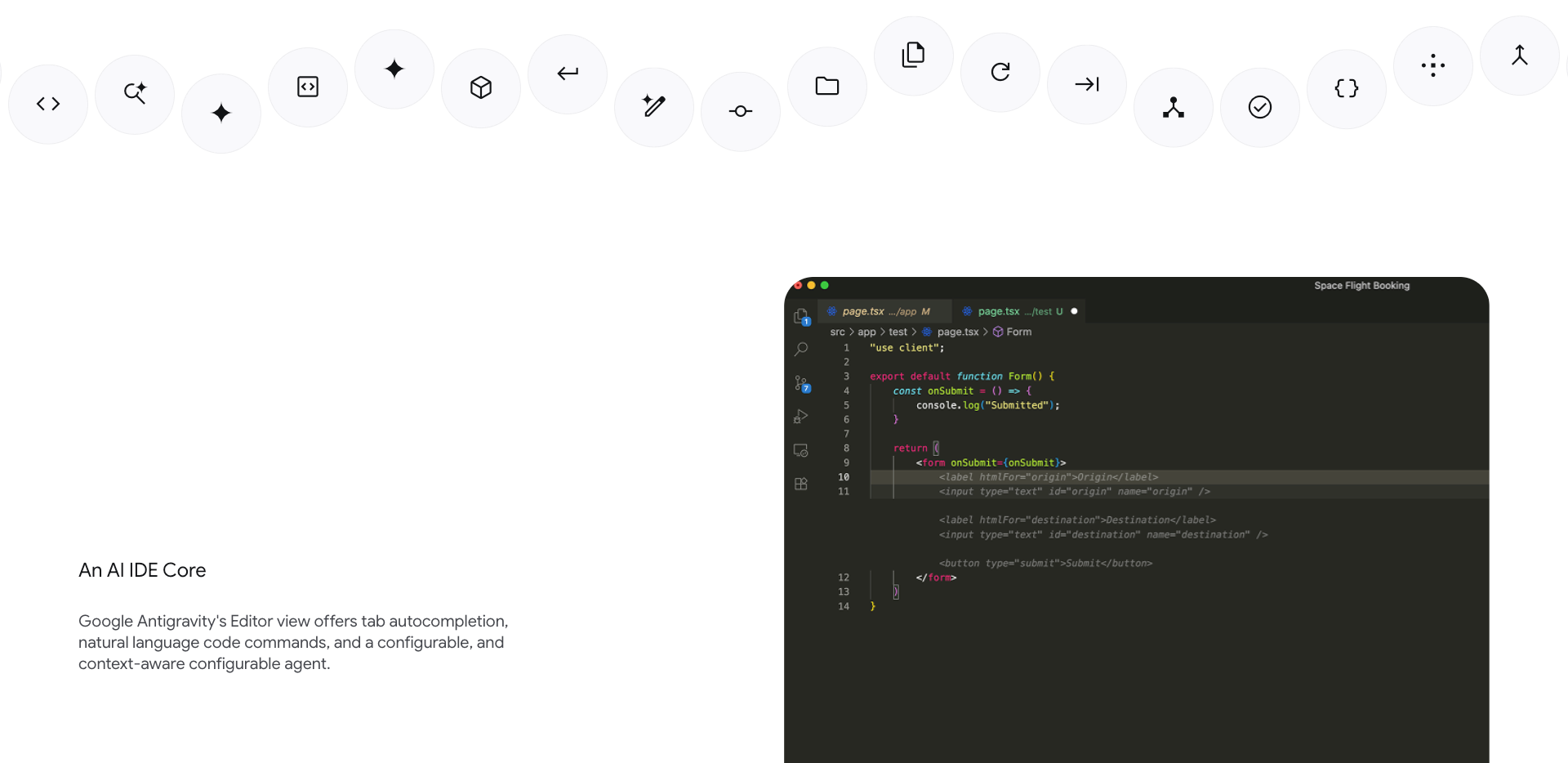
Platform Support and Free Access
You can use the Google Antigravity AI programming tool on almost any computer. It works on Windows, macOS, and Linux. Cela signifie que vous n'avez pas à vous soucier de votre système d'exploitation. You can start coding with the tool right away.
You also get free access to the personal plan. This plan gives you generous rate limits when you use Gemini 3 Pro. You do not have to pay to try out the main features. This makes it easy for you to explore the tool and see how it fits your workflow.
Key Features and User Plans
The Google Antigravity AI programming tool helps you work with AI agents that can handle many parts of software development. Here is what you can expect:
You can delegate coding and project management tasks to AI agents.
The tool gives you a dedicated workspace, so you can focus on your project from start to finish.
You can use features like browser control and asynchronous interactions to manage complex tasks.
The platform lets you act as an architect, guiding AI agents to build, test, and validate code.
The tool uses advanced models like Gemini 3 Pro and Claude Sonnet 4.5. These models allow for unlimited code completion. The system uses three main agents to help you:
Component | Function |
|---|---|
The Planning Agent | Breaks down your requests into steps, such as picking APIs or designing the user interface. |
The Execution Agent | Writes code in many files, manages dependencies, and brings tools together. |
The Validation Agent | Tests the code, finds errors, and fixes problems before you see them. |
You can use all these features in one application. This makes the Google Antigravity AI programming tool a strong choice for developers who want to work faster and smarter.
Gemini 3 Pro and Claude Sonnet 4.5 Upgrades
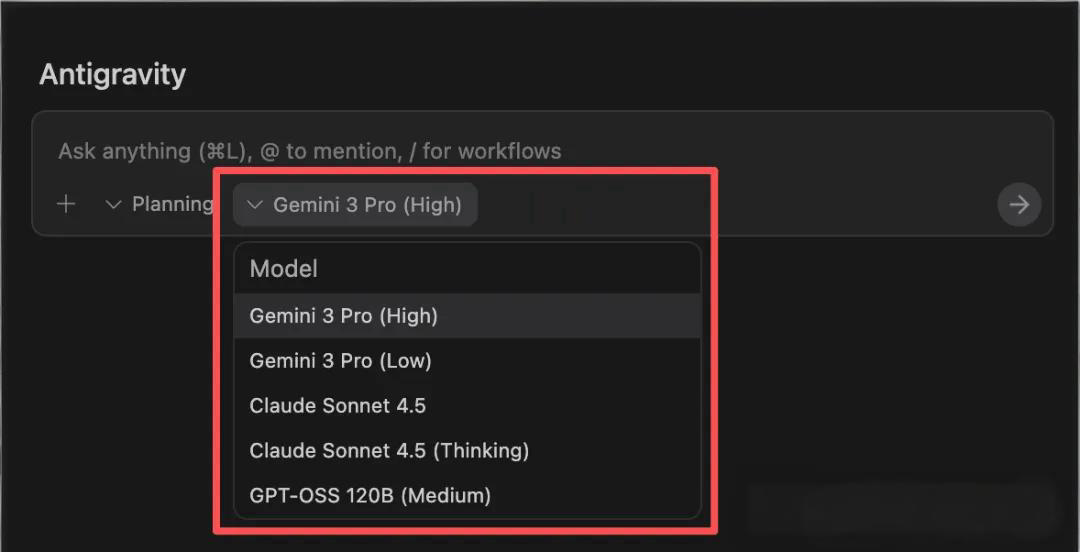
Multimodal and Coding Capabilities
You now have access to some of the most advanced AI coding models available. Gemini 3 Pro and Claude Sonnet 4.5 bring new power to your coding projects. These models do more than just write code. They understand images, text, and code together. This means you can give them screenshots, diagrams, or code snippets, and they will help you solve problems faster.
Claude Sonnet 4.5 stands out for its ability to handle long and complex coding sessions. You can let it work on a project for over 30 hours without losing track. This frees you to focus on big-picture ideas while the AI takes care of the details. Claude Sonnet 4.5 also shows top performance in editing code. It reduces errors from 9% to 0% on internal tests. You will notice that it can edit, refactor, and improve code with almost no mistakes.
Here are some of the key technical upgrades you get with these models:
Claude Sonnet 4.5 can handle more than 30 hours of coding, letting you focus on architecture.
It shows state-of-the-art performance, especially on long and complex tasks.
It improves on tools like GitHub Copilot by managing large, multi-file projects.
Its editing skills are exceptional, almost eliminating errors in code changes.
It uses parallel tool execution, making it faster and more efficient.
Gemini 3 Pro also brings a new level of flexibility. It supports up to 1 million tokens, so you can work with huge codebases. You can give it large documents or entire projects, and it will keep track of everything. This makes it easier for you to manage big software projects without splitting them into small pieces.
Performance Benchmarks
You want to know how these models perform in real-world coding. Gemini 3 Pro and Claude Sonnet 4.5 both show strong results on standard coding tests. Claude Sonnet 4.5 scored 77.2% on SWE-bench Verified coding tasks. In some cases, it reached 82.0% under optimized settings. In the WebDev arena, it ranks 4th with a score of 1382, just behind the top model GPT-5 (high) at 1478. On the Intelligence Index, Claude Sonnet 4.5 scores 63 out of 100, which is a jump from earlier versions.
You can see how these models compare to earlier versions in the table below:
Feature | Gemini 3 Pro | Previous Versions (e.g., 2.5 Pro) | Claude Sonnet 4.5 |
|---|---|---|---|
Model Size | Supports up to 1 million tokens | Lower capacity | Not specified |
Output Capability | 64K tokens | Lower output capability | Not specified |
Architecture | Sparse mixture of experts transformer | Standard transformer architecture | Not specified |
Training Data | Large-scale multimodal datasets | Less diverse datasets | Not specified |
Performance (Accuracy) | Exceeded 72% in SimpleQA Verified | Lower accuracy | 29% |
You will also notice that Claude Sonnet 4.5 performs well in real coding tasks. For example, it completed a refactoring job for a command-line tool that does linear algebra. It passed all unit tests and handled complex code changes. Even when it faced small issues, like header alignment, it quickly found and fixed the problem. Claude Sonnet 4.5 also created a Python agent to automate tasks like updating CSV data and generating slides. This shows its ability to work across different programming languages and tasks.
When you compare speed, accuracy, and resource use, Gemini 3 Pro stands out for handling large projects efficiently. Claude Sonnet 4.5 and other top models like GPT-5.1 may need to split big tasks into smaller parts, but they still deliver high accuracy.
Model | Speed | Accuracy | Resource Usage |
|---|---|---|---|
Gemini 3 Pro | Reliable for large contexts (1M+ tokens) | High, especially for large repositories | Efficient with moderate context windows |
Claude Sonnet 4.5 | Requires chunking for large payloads | Excellent, but may need more prompting | Higher cost for long sessions |
GPT-5.1 | Excellent but may require chunking | Excellent, but may need more prompting | Higher cost for long sessions |
Tip: If you work with very large codebases, Gemini 3 Pro can help you keep everything organized and efficient.
Market Impact of Free Advanced Models
The release of free advanced models in the Google Antigravity AI programming tool has changed the market. You now get access to tools that used to cost a lot of money. This has made other companies rethink their pricing. GitHub and Cursor now offer free plans, but these come with limits. You may find that free tiers run out quickly, pushing you toward paid plans.
You will see that users report big improvements in coding and satisfaction. Gemini 3 Pro shows 35% higher accuracy in solving software engineering problems compared to older versions. JetBrains found that the number of solved benchmark tasks went up by more than 50%. Many users say that AI now feels like a real partner in coding, not just a helper.
Here is how the market has responded:
Users notice better coding results and higher satisfaction.
Gemini 3 Pro delivers 35% more accurate solutions than Gemini 2.5 Pro.
JetBrains reports over 50% more solved tasks with these new models.
Companies like GitHub and Cursor have changed their pricing to keep up.
Free advanced models have made AI coding tools more accessible to everyone.
You benefit from these changes. You can try powerful AI coding tools without paying upfront. This helps you stay ahead in a fast-changing tech world.
User Experience and Challenges
Code Completion and CLI Features
You will notice that the Google Antigravity AI programming tool offers powerful code completion. When you type, the tool predicts your next steps and suggests code. This helps you write faster and with fewer mistakes. You can also use the command-line interface (CLI) to interact with the tool. The CLI lets you run commands, manage files, and control agents without leaving your terminal. Many programmers like this feature because it fits into their daily workflow.
Tip: Try using the CLI for quick tasks. You can save time and keep your hands on the keyboard.
Usability Issues and Error Reports
Some users report that the tool can be confusing at first. You might see errors when you try new features or work with large projects. Sometimes, the AI agents do not understand your instructions right away. You may need to rephrase your requests or give more details. The platform updates often, so you might notice changes in how things work. If you run into problems, you can check the help section or ask the community for advice.
Here is a quick look at common issues:
Issue Type | Example Problem | Suggested Action |
|---|---|---|
Code Completion | Incomplete suggestions | Try rewording prompts |
CLI Usage | Command not recognized | Check documentation |
Agent Confusion | Misunderstood instructions | Add more context |
Programmer Adaptation
You may need to change how you think about coding when you use this tool. The agent-first approach means you guide the AI agents instead of writing every line yourself. This shift can feel strange at first. Both new and experienced programmers sometimes find it hard to adjust. You might need to learn new habits and trust the agents to handle tasks. Over time, you will see that this way of working can make you more productive. You will spend more time on design and less on routine coding.
Note: The transition to an agent-first workflow asks you to rethink your role as a programmer. This can slow down adoption, but it also opens new ways to build software.
Competitive Landscape
Comparison with Cursor and Alternatives
You may wonder how Google Antigravity stacks up against Cursor and other AI coding tools. Antigravity stands out because it lets you delegate entire tasks, not just lines of code. You can ask the tool to plan, write, and test code while you focus on bigger ideas. The Agent Manager works in the background, so you feel like you are working with a teammate, not just a bot. The built-in browser can even run tests or fetch information for you.
Cursor, on the other hand, offers a stable and polished experience. Many engineers like Cursor for its traditional setup and reliable daily use. Cursor helps you with code completions and is easy to use if you prefer a classic workflow.
Here is a quick comparison:
Feature | Google Antigravity | Cursor |
|---|---|---|
Coding Accuracy | High first-attempt accuracy with large codebases | Often requires multiple iterations for accuracy |
Speed | Faster due to autonomous coding workflows | Fast, but may lag in complex tasks |
Supported Languages | Extensive, handles over 1M tokens | Limited context handling |
Pricing and Accessibility
You get free access to Google Antigravity during the public preview. This means you can try advanced features without paying. If you work in a team, you only pay for extra computing power, which often costs less than Cursor Pro. Cursor charges $20 to $40 per user each month if you go beyond the free tier. This makes Antigravity a more affordable choice for many developers.
Other alternatives, like CodeConductor, may focus on team features but do not offer the same agent-first design or transparency.
Tip: Try Antigravity if you want to explore advanced AI coding without upfront costs.
Strengths and Limitations
Antigravity brings many strengths to your workflow:
Agents plan and coordinate tasks like teammates.
You see clear task lists, plans, and logs for transparency.
You can switch between Editor View and Manager View.
The tool automates browsers and terminals.
Agents remember past work, helping you build on earlier projects.
You can use it on Windows, macOS, and Linux.
However, you should know about some limitations:
The public preview raises data privacy concerns, especially for sensitive projects.
Antigravity does not support HIPAA-compliant workflows or offer business agreements for healthcare.
The platform lacks third-party audits and compliance certifications, so it may not suit critical infrastructure.
Note: Always review your project’s privacy needs before using new AI tools.
You see Antigravity changing how you code. Its asynchronous workflows and polished design boost your productivity. The table below shows how Antigravity disrupts the market:
Feature | Impact |
|---|---|
Innovative workflows | More trust and efficiency |
Developer feedback | Better usability than competitors |
Economic impact | Less need for entry-level coding roles |
To keep up, you should focus on architecture, security, and prompt engineering. Use tutorials and forums to learn new skills. Generative AI and machine learning will keep improving coding tools. You will need to adapt as automation grows and prompt engineering becomes more important.
FAQ
How do you start using Google Antigravity AI?
You download the tool from the official website. Install it on Windows, macOS, or Linux. Sign up for a free personal plan. You can begin coding right away.
Can you use Gemini 3 Pro and Claude Sonnet 4.5 for free?
Yes, you get free access to both models with the personal plan. You can use advanced features without paying. Some limits may apply for heavy use.
What should you do if the AI gives wrong code?
Try rewording your request or add more details. If the problem continues, check the help section or ask the community for advice.
Is your code safe with Antigravity AI?
Concern | Status |
|---|---|
Data Privacy | Not HIPAA-compliant |
Business Use | No formal agreements |
Personal Use | Safe for most projects |
Always review your project’s privacy needs before using the tool.
See Also
Introducing Vercel's Innovative AI Development Tool
Jule: The AI Assistant Simplifying Software Creation
Vercel Unveils A Fresh Open Source Coding Experience

© Copyright 2025 LinkstartAI - All Rights Reserved.