Can LiveDocs replace Tableau?

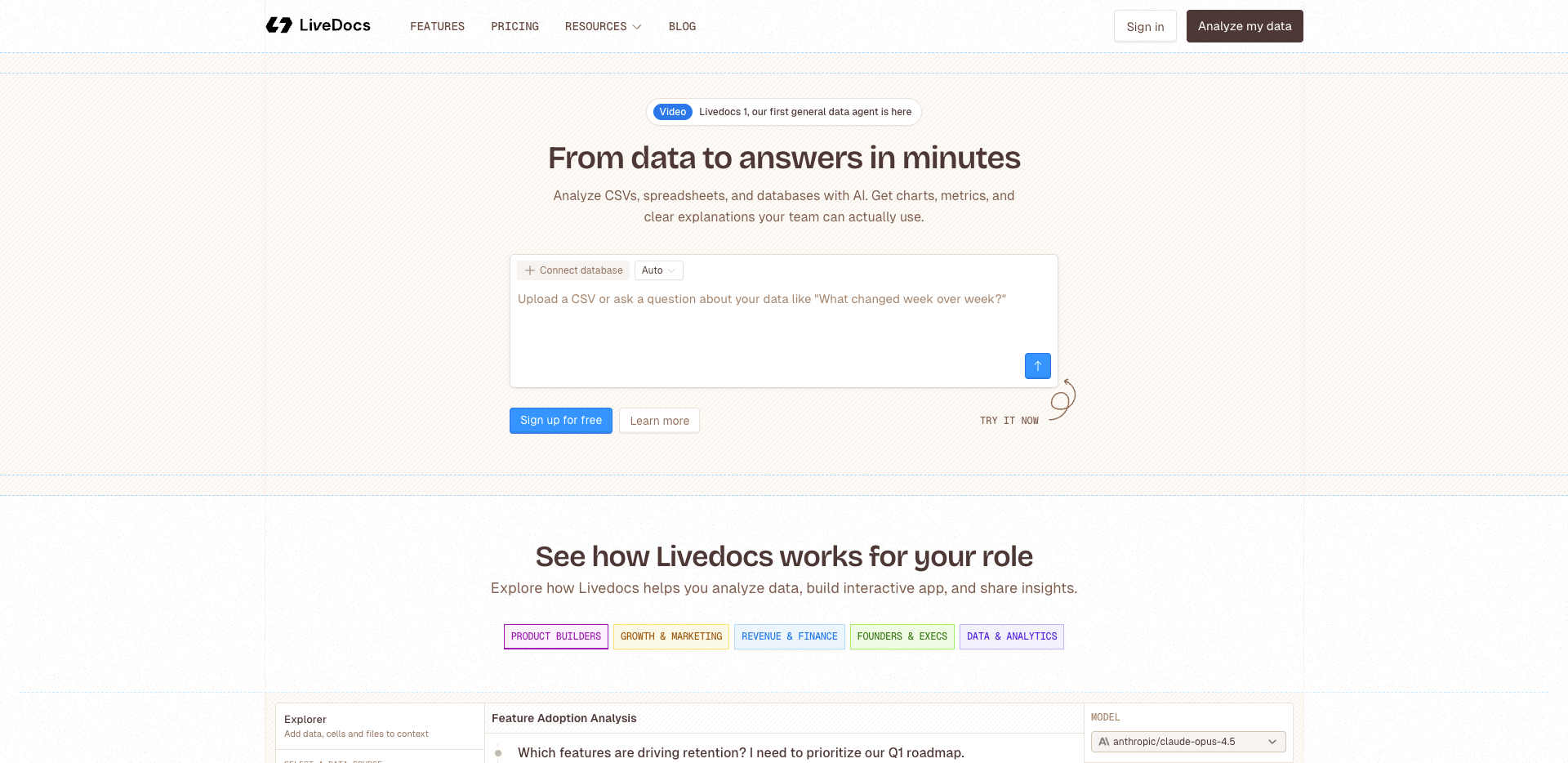
Are you wondering whether LiveDocs can replace Tableau for your team or business? The answer really depends on your specific needs. If you’re looking for rapid, no-code data analysis, LiveDocs delivers results in just a few clicks. Data teams using LiveDocs report that it streamlines their workflow and boosts efficiency. Product managers appreciate how LiveDocs enables them to make informed decisions without waiting for traditional reports. Non-technical users also benefit from LiveDocs’ intuitive natural language interface. Before deciding if LiveDocs is the right fit, consider its product positioning, core features, and user feedback. Real user experiences can help you determine if LiveDocs can truly replace Tableau in your organization.
Key Takeaways
LiveDocs lets you look at data fast with no coding. This is good for teams who want answers quickly and do not want hard setups. Product managers like that LiveDocs makes reports right away. This helps them make choices fast with no waiting. People who are not tech experts think LiveDocs is simple to use. They can ask questions in normal English and get answers right away. Tableau is still a good pick for groups who need more features. It is best for those who want deep changes and nice-looking charts. Think about what your team can do and what they need before you pick LiveDocs or Tableau. LiveDocs is best if you want things done fast and easy. Tableau is better if you need very detailed data work.
livedocs replace tableau: Direct Answer
Quick Verdict for Users
You might wonder if livedocs replace tableau for your daily work. The answer depends on who you are and what you need. If you work on a data team, you want tools that help you move fast and keep your work organized. Livedocs gives you a quick way to analyze data without writing code. You can upload your data, ask questions in plain English, and see results right away. This makes livedocs a strong choice if you want to skip long setup times.
If you are a product manager, you often need to make decisions based on numbers. Livedocs lets you get answers without waiting for someone else to build a dashboard. You can explore data, check trends, and share your findings with your team. For non-technical users, livedocs replace tableau by making data easy to understand. You do not need to learn complex tools or write scripts. Just ask your question and get a chart or table in seconds.
Tableau is still a favorite for many companies. It offers deep customization and works well for big, complex reports. If your team already uses tableau and needs advanced features, you might want to keep it. But if you want speed, ease of use, and AI-powered help, livedocs replace tableau for most daily tasks.
Key Factors to Consider
When you think about livedocs replace tableau, you should look at how each tool fits your workflow. Livedocs focuses on making data analysis simple and fast. You do not need to set up anything special. Just open the app, upload your data, and start asking questions. Tableau, on the other hand, often needs more setup. You might need to connect to databases, build dashboards, and learn how to use its many features.
Here’s a quick table to help you see the main differences:
Feature | Tableau | |
|---|---|---|
Semantic Layer | Yes, code-based for governance | No |
Version Control | Git version control for analytics code | Limited |
Analytical Functions | 1-click for common tasks | Needs custom setup |
Dashboard Customization | Canvas-based, easy to adjust | Yes |
Self-service Layer | AI-first, drag-and-drop | Limited |
You should also think about your team’s skills. Livedocs works well if you want everyone to use data, not just experts. Its AI features help you get answers fast. Tableau is better if you need detailed control and have people who know how to use it.
Another thing to consider is cost and setup time. Livedocs replace tableau for many startups and small teams because it is cheaper and faster to start. You can get going in minutes. Tableau can take days to set up and costs more, especially for large teams.
If you want a tool that helps you move fast, share insights, and lower the learning curve, livedocs replace tableau for most business users. If you need deep reporting, custom visuals, or have strict data rules, tableau might still be your best bet.
tableau vs livedocs: Core Differences

Product Positioning
You might want to know how tableau and livedocs fit your work. Tableau is a classic business intelligence tool. It helps you make dashboards and nice visuals. Many companies use tableau for deep analytics and reports. Big organizations like tableau when they need advanced features. Teams use it for custom solutions.
Livedocs is different. It is a no-code, AI-driven analytics platform. You can ask questions in plain English. You do not need to learn hard software. Just upload your data and type your question. You get answers right away. Livedocs makes analytics easy for everyone, not just experts.
Here’s a quick look at how tableau and livedocs compare:
Feature/Aspect | Tableau | LiveDocs |
|---|---|---|
Approach | Focuses on data visualization with a drag-and-drop interface. | AI-driven analysis with natural language queries. |
Target Users | Professionals in data analytics, business intelligence, and related fields. | Non-technical users needing quick insights without extensive training. |
Core Capabilities | Advanced visualizations, complex spatial data handling, and polished dashboards. | Collaborative notebook environment with AI-generated analysis. |
Learning Curve | Requires several months of training for effective use. | Designed for immediate productivity with minimal learning. |
Cost | Typically $800+ annually for software. | More budget-friendly with options to try before investing significantly. |
Feature Highlights
You may wonder what makes tableau and livedocs special. Tableau gives you strong analytics tools. You can make interactive dashboards and explore data in many ways. There are many options for charts and reports. Many people like tableau for its polished results. Some say it helps their careers.
Livedocs is great if you want speed and simplicity. You get answers fast and do not worry about syntax. Livedocs lets your team work together and share ideas. Non-technical users like livedocs because it is easy to use.
Let’s break down what users say:
Tableau users love:
The polished dashboards and interactive analytics.
Customization and the feeling of mastering a professional tool.
Career growth from using tableau.
Tableau users struggle with:
The steep learning curve.
High cost for software and sharing features.
Performance issues with large analytics datasets.
Livedocs users love:
Quick answers without remembering complex commands.
Collaboration and AI that understands their analytics needs.
Easy access for teammates who are new to analytics.
Livedocs users struggle with:
Fewer resources and examples.
Less control over how visuals look compared to tableau.
Needing an internet connection for analytics.
You can see tableau and livedocs help with different needs. Tableau is best for deep analytics and custom dashboards. Livedocs helps you start fast and makes analytics easy for everyone.
Setup and Learning Curve
Getting Started
When you first try livedocs, you notice how easy it feels. You just open the website, upload your data, and start asking questions. There is no need to install anything or set up a server. You do not have to worry about connecting to special databases right away. Livedocs lets you jump straight into analytics. You can type a question like, “Show me sales by month,” and see a chart in seconds. This quick start helps you focus on your analytics work instead of fighting with setup steps.
Tableau takes a different approach. You need to download the software or use the online version. You often spend time connecting to your data sources and setting up dashboards. Tableau asks you to pick the right fields and drag them into the right spots. If you want to use advanced analytics features, you might need to learn extra steps. Getting started with tableau can take hours or even days, especially if your data lives in different places.
Onboarding Experience
Livedocs makes onboarding simple. You do not need to read a big manual or watch long videos. The natural language interface guides you. You can ask questions in plain English and get answers right away. If you get stuck, livedocs offers tips and examples to help you learn. Most people feel comfortable with analytics in livedocs after just a few minutes.
Tableau onboarding feels more like a class. You might join training sessions or read guides to understand all the features. Tableau has many options for analytics, but this means you need to spend time learning where everything is. Some users enjoy this deep dive, but others find it hard to remember all the steps. If you want to share analytics with your team, you may need to teach them how tableau works.
Tip: If you want to get your team using analytics fast, livedocs gives you a head start. For deep, custom analytics, tableau rewards those who invest the time to learn.
Real-World Use Cases
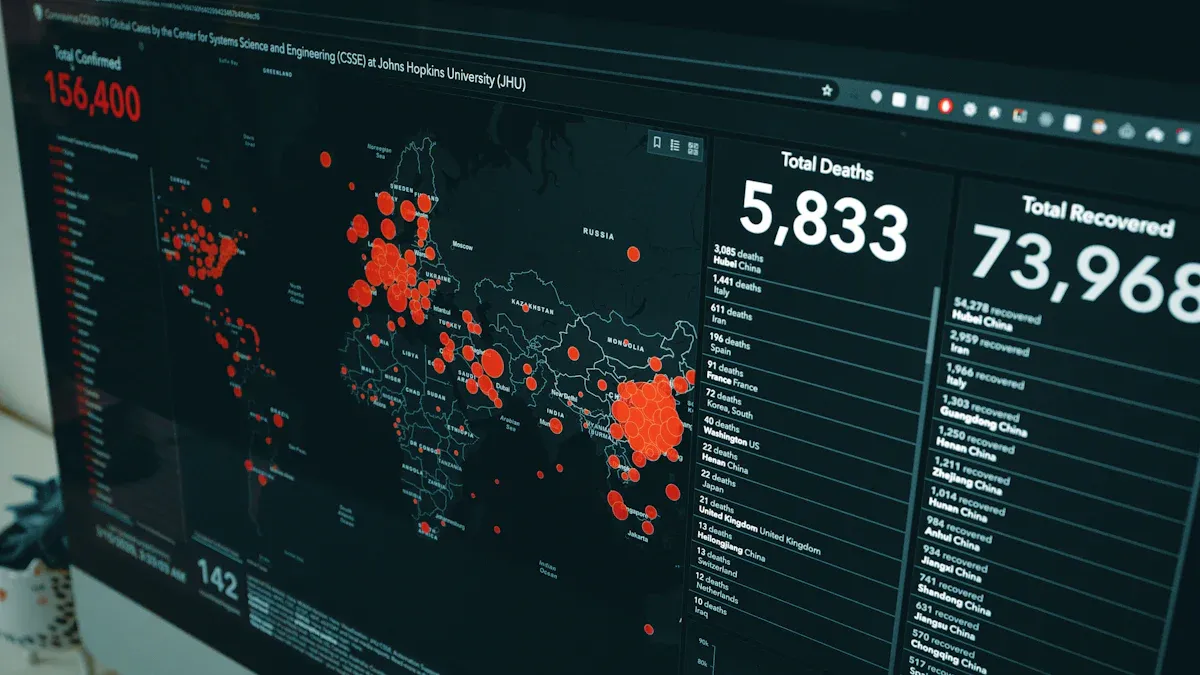
Data Analysis Scenarios
You might wonder how these tools help in real life. Imagine you are a product manager. You need to check what users do and make fast choices. With livedocs, you upload your data and ask questions in plain English. You get answers in just a few seconds. This helps you find patterns and share ideas with your team right away. Livedocs makes analytics simple, even if you are not a technical person.
Now think about tableau. You use it when you need deep analytics or special dashboards. If your company needs big reports or nice-looking charts, tableau is great. You can make detailed graphs and look at data in many ways. Some teams use tableau to track sales in different places. It works well if you have time to set up dashboards and know how to use its tools.
Here’s a quick tip: If you want fast and easy analytics, livedocs is a good choice. If you need to build complex dashboards and want more control, tableau is better.
Collaboration Workflows
Working with others is important for teams. You want everyone to see and use analytics together. Livedocs lets all team members join in, no matter their skills. You can work together like you do in Google Docs. People can look at and comment on things at the same time. This makes livedocs helpful for teams in different countries.
Tableau cares more about making your analytics look nice. It takes longer to learn, and not everyone can use it right away. Working together at the same time is not its main feature. If you need to share fancy reports, tableau is good. But if you want everyone to help with analytics, livedocs makes it simple.
Here’s a table to show how working together looks in both tools:
Feature | LiveDocs | Tableau |
|---|---|---|
Collaboration Style | Google Docs-style collaboration | Focus on polished visualizations |
User Accessibility | Low barrier for non-technical users | Steeper learning curve |
Technical Skill Needed | Mixed skills supported | More technical knowledge needed |
Real-time Input | Stakeholders can review in real time | Less focus on real-time collaboration |
Note: If your team is in different countries or needs to change content fast, livedocs helps you move quickly. For big, formal analytics reports, tableau gives you more choices.
Feature Comparison: tableau alternatives
When you look for tableau alternatives, you want to see how each tool compares. Let’s look at the main features that matter for analytics, data visualization, and teamwork. You will see how livedocs, tableau, and other tools are different. This helps you pick the best data visualization tool for your needs.
Visualization and Reporting
You want your analytics to look nice and be easy to share. Livedocs lets you work with your data in real time. You can see updates in your documents as they happen. This is better than just looking at dashboards that do not change. Working together is easy because your data work links to your business tasks. Tableau and other tools often keep dashboards separate. This can make things slower. Livedocs lets you drag and drop to build presentations. These presentations update when your data changes. Most tableau alternatives only let you make presentations that do not change.
Here’s a quick table to help you compare:
Feature | livedocs | tableau / alternatives |
|---|---|---|
Real-time data interaction | Yes | Limited to static dashboards |
Collaboration | Enhanced, business-connected | Often siloed in dashboards |
Flexibility | High, custom docs and queries | Moderate, needs complex setup |
Presentation | Drag and drop, live updates | Static presentations |
Data Integration
Connecting your data should be simple. Livedocs works with many data sources. You can upload files or connect to databases in seconds. You do not need to spend a long time setting things up. Tableau alternatives sometimes need more steps to get your data ready. You might have to spend extra time preparing your data before you start analytics. Livedocs makes this easy so you can focus on finding insights.
Tip: If you want to skip the hard parts and start analytics fast, livedocs makes data integration easy.
AI and Automation
AI changes how you do analytics. Livedocs uses AI to help you make visualizations with natural language. You just ask for what you want, and the tool builds it for you. Tableau and most tableau alternatives need you to set up charts by hand. Livedocs also cleans and changes your data automatically. You do not have to know every chart type or spend time on manual work. This makes analytics faster and more fun.
Check out this table for a quick look:
Feature | livedocs | tableau / alternatives |
|---|---|---|
AI-driven visualizations | Yes, natural language | No, manual setup |
Automated data wrangling | Yes, AI handles it | No, manual preparation |
Zero learning curve | Yes, ask for what you need | No, need to learn chart types |
Iterative exploration | Yes, dynamic changes | Limited, manual adjustments |
When you compare tableau alternatives, livedocs stands out for its AI, easy data integration, and real-time analytics. You get a tool that helps you move fast and work together. This makes analytics simple for everyone.
User Feedback and Community Insights
LiveDocs Reviews
You might want to know what real users say about livedocs. Many people on Product Hunt give it high marks. They say livedocs makes analytics easy for everyone. You can upload your data and get answers in seconds. One user said, “This is the fastest way to do analytics without learning code.” On Twitter, some users call livedocs a game changer for teams that need quick insights. They like how you can ask questions in plain English and see results right away.
People also talk about how livedocs helps teams work together. You can share your analytics with others and get feedback fast. Some users on Reddit mention that livedocs saves time and money. They like that you do not need to set up anything special. You just start working with your data. A few users wish for more advanced features, but most agree that livedocs makes analytics simple and fun.
Tableau User Experiences
You may have heard about tableau from friends or coworkers. Many users say tableau is great for deep analytics and custom dashboards. On Reddit, people share stories about building big reports with tableau. They like the power and control it gives them. Some users say tableau helps them look like analytics experts at work.
But tableau can feel hard to learn. Some users say it takes weeks to get good at tableau. They also talk about the cost. Tableau can be expensive, especially for small teams. On Twitter, a few users mention that tableau sometimes runs slow with large analytics datasets. Still, many people trust tableau for important business reports.
Note: If you want fast, easy analytics, livedocs gets you started right away. If you need deep, custom reports, tableau gives you more options.
Tool | What Users Like | What Users Want Improved |
|---|---|---|
livedocs | Fast answers, easy sharing, simple setup | More advanced features |
tableau | Deep analytics, custom dashboards | Easier learning, lower cost |
Recommendations: Choosing Your tableau alternative
For Non-Technical Users
Are you new to analytics? You might feel confused by all the choices. If you want to start quickly and work with your team, livedocs is a good pick. You can upload your data, ask questions, and see answers fast. You do not need to know coding or spend a long time setting things up.
Choose livedocs if you want fast answers and easy teamwork.
Pick tableau if you like fancy charts and have time to learn.
Try livedocs if your team has people with different skills.
"If you are not technical, have never used data tools, and need to get started fast, livedocs is probably the best place to begin."
Tableau is good if you want nice-looking charts and can spend time and money. Livedocs helps you start using analytics right away.
For Data Teams
You work with numbers every day. You need tools that help you move fast and keep your work neat. Livedocs lets you connect to many data sources and use natural language for analytics. You can share your results and work together at the same time.
Use livedocs for quick analytics and easy sharing.
Pick tableau for deep analytics and custom dashboards.
Use both if your team needs speed and special features.
Livedocs saves time and makes learning easier. Tableau gives you more control, but your team will need training.
For International Collaboration
Your team works in different countries. You need analytics tools that help everyone join in. Livedocs makes it easy for people in different places to work together. You can upload files, translate content, and share analytics right away.
Livedocs is good for quick teamwork and easy data sharing.
Tableau is better for strong visuals in formal reports.
Pick livedocs if you want to break language barriers and move fast.
Tip: Start with livedocs for teamwork and fast analytics. Use tableau when you need detailed presentations for big meetings.
Before you change tools, test them with a small project. Make sure your team feels good about the new tool. Watch for updates and new features. Try not to use only one tool for everything. Stay flexible and keep learning about analytics.
Livedocs lets you do analytics fast and work with your team easily. Tableau is better for deep analytics and making custom dashboards. Livedocs helps you get started quickly and share ideas with others. Each tool is good for different things in analytics. Think about how your team works before you change tools. Felo LiveDoc now has AI agents you can change, so teamwork and analytics get smarter. If you want analytics that are ready for the future, watch how Felo LiveDoc improves.
Tip: Use livedocs when you need quick answers. Pick tableau for hard analytics tasks. Look for new things in Felo LiveDoc.
livedocs makes analytics easy for all users.
Tableau helps you handle tough analytics jobs.
Felo LiveDoc adds smart AI agents for teamwork and analytics.
FAQ
What makes LiveDocs different from tableau?
You can use LiveDocs with plain English questions. Tableau needs you to build dashboards and learn more steps. LiveDocs gives you answers fast. Tableau works best for deep reports and custom visuals.
Can I use tableau and LiveDocs together?
Yes, you can! Some teams use tableau for big reports and LiveDocs for quick answers. You might find that using both helps your team cover more needs.
Is tableau better for large companies?
Tableau fits large companies that need advanced features and custom dashboards. If your team has many data experts, tableau gives you more control. LiveDocs works well for smaller teams or anyone who wants fast results.
How hard is it to switch from tableau to LiveDocs?
Switching feels easy for most users. You upload your data and start asking questions. If you use tableau now, you might enjoy how simple LiveDocs feels.
Do I need training to use tableau or LiveDocs?
You need training to use tableau well. LiveDocs lets you start right away. You just ask questions and see answers. Most people learn LiveDocs in minutes.
See Also
Discover Vercel's Innovative Open Source Coding Environment
NotebookLM's Significant Upgrade Revolutionizes Learning For All Users
NotebookLM Surpasses Classic Note Apps With Three Unique Features
GLM-4.6 Model Introduces Improved Reasoning And Coding Skills
Jule The AI Assistant Simplifying Software Development Processes

© Copyright 2025 LinkstartAI - All Rights Reserved.