How to build your personal content empire using Cowork, Airtable, and Buffer


Imagine waking up and watching your ideas transform into posts, newsletters, and tweets. You no longer need to copy and paste constantly, and you won't lose your drafts. You can build your own personal content empire with smart tools. These tools handle the hard work for you. Cowork creates your content, Airtable keeps everything organized, and Buffer shares your words. You can focus on what truly matters. You accomplish more tasks and maintain a clear message every day.
Key Takeaways
Make clear goals for your content so you stay on track and can see how you are doing.
Use Cowork to make creating content easier. This helps you turn ideas into drafts fast.
Use Airtable to keep your work organized. You can manage tasks, set deadlines, and check your content easily.
Use Buffer to set up your posting schedule. This makes sure your content gets to people at the best time.
Check your performance numbers often. This helps you improve your plan and grow your content empire.
Building Your Personal Content Empire Workflow
So, you want to build a personal content empire that runs almost on autopilot? You can do this by creating a workflow that takes your ideas and turns them into published posts with very little manual work. Let’s break down how you can set up this kind of system.
Setting Content Goals
Before you start creating, you need to know what you want to achieve. Clear goals will keep you focused and help you measure your progress. Here’s a simple way to set strong content goals:
Define a specific outcome. Pick one clear result you want, like “Grow my Twitter followers by 20% in three months.”
Decide how to measure success. Use numbers, deadlines, or percentages so you know when you’ve hit your target.
Make your goal achievable. Look at your skills and resources. Set a goal you can actually reach.
Confirm that your goal is realistic. Make sure your goal fits with your bigger plans and isn’t too far out of reach.
Set a time-bound deadline. Give yourself an end date. This keeps you moving and stops your project from dragging on.
Tip: Write your goals down in Airtable. You can track your progress and update your goals as you grow.
Connecting Cowork, Airtable, and Buffer
Now, let’s connect the dots. You want your ideas to flow smoothly from start to finish. Here’s how you can link Cowork, Airtable, and Buffer to create a seamless pipeline:
Upstream (Idea Capture): Start by collecting ideas and inspiration. Use tools like Readwise to gather articles, newsletters, and social threads. Store your best ideas in Airtable. This becomes your content database.
Core (Content Production): Cowork acts as your content factory. It reads your ideas from Airtable, analyzes your research, and creates drafts for different platforms. You get Twitter threads, LinkedIn articles, and newsletters—all ready to go.
Downstream (Distribution & Archiving): Zapier watches your draft folder. When Cowork finishes a piece, Zapier sends it to Buffer. Buffer schedules and publishes your content on Twitter, LinkedIn, and more. Notion keeps a record of everything you’ve published.
Here’s a quick look at the steps you’ll follow:
Choose a template for social media automation (Make.com has some great options).
Set up Airtable to manage your content ideas and deadlines.
Connect Cowork to Airtable so it can pull in your topics and research.
Use Buffer to automate your post scheduling.
Add Slack for team updates if you work with others.
Note: This workflow doesn’t just save time. It also keeps your message consistent across every platform. You’ll see better results because your content goes out when your audience is most active. Plus, you can track what works and improve your strategy over time.
A fully automated pipeline like this can transform your content process. You’ll spend less time on busywork and more time on creative thinking. Analytics dashboards show you what your audience loves, so you can keep improving. With this system, your personal content empire will grow faster and stronger.
Content Creation with Cowork

Brainstorming and Collaboration
You want your best ideas to shine. Cowork helps you brainstorm with your team in real time. You can add thoughts, share links, and build on each other's suggestions. It feels like everyone is in the same room, even if you work from different places or time zones.
Cowork adapts to many brainstorming styles. You can use sticky notes, mind maps, or simple lists.
Everyone can join in. The platform lets your team add ideas at any time.
You get a user-friendly interface. New members can start right away without a long learning curve.
Cowork grows with you. It works for small groups and big projects.
Cowork also connects with other tools. You can move from brainstorming to action without losing momentum. This flexibility keeps your creative flow strong and helps you build your personal content empire.
Tip: Try using Readwise to collect articles, newsletters, and tweets. You can send your favorite highlights straight into Cowork for your next brainstorming session.
Draft Management and Feedback
After brainstorming, you need to turn ideas into drafts. Cowork makes this step easy. You can collect notes, outlines, and research in one place. Cowork reads your files and creates a first draft for you. This saves you time and keeps everything organized.
Feature | Description |
|---|---|
Document Creation from Notes | Cowork reads your notes and turns them into a clear, well-structured draft. |
Report and Presentation Drafting | Cowork can build reports or slide decks from scattered info, using smart formatting. |
You can share drafts with your team for quick feedback. Cowork keeps track of changes and suggestions. This way, you always know which version is the latest. You can focus on improving your message instead of searching for files.
Cowork also helps you adapt your content for different platforms. It makes sure your brand voice stays the same, even if you write for Twitter, LinkedIn, or a newsletter. Automated workflows let you create, edit, and distribute content without extra steps. You get a consistent look and feel everywhere your audience finds you.
If you want more ideas, try using Whisper API. It turns podcasts and videos into text, so you can pull insights from many sources. Readwise gives you instant summaries and keeps all your research in one inbox. These tools make it easy to find and use the best material for your content.
Organizing and Planning in Airtable
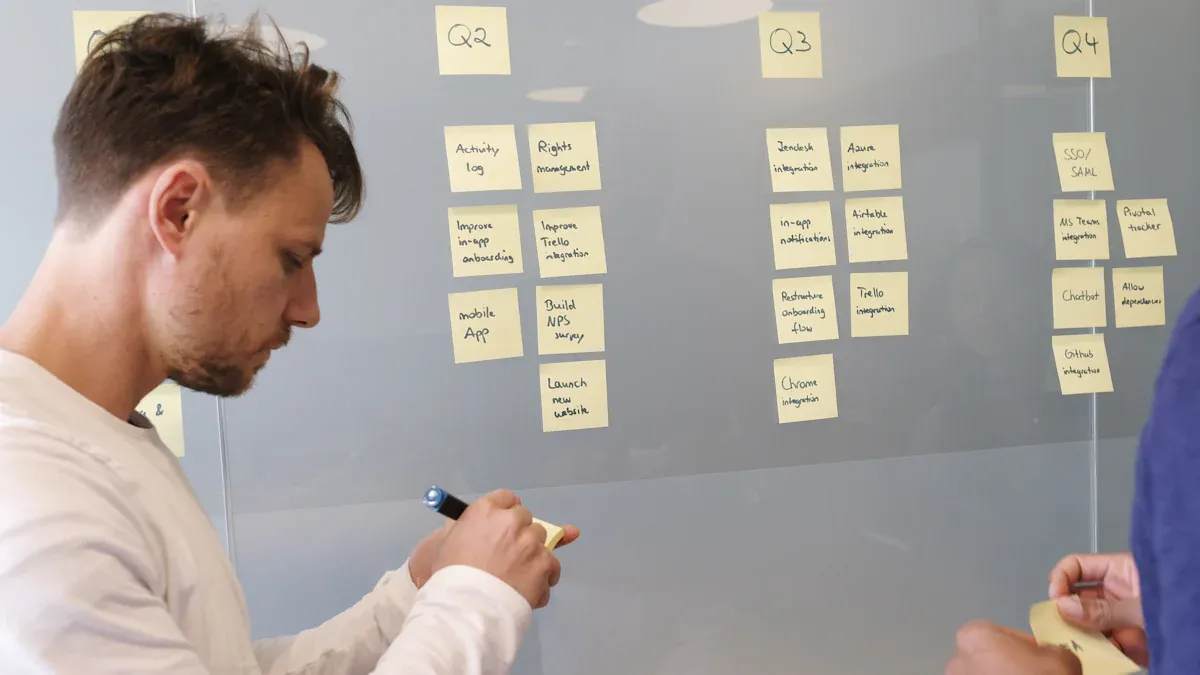
Airtable helps you keep your content neat and your work easy. You can use it as your main spot for planning, picking keywords, and tracking every step. With Airtable, you see everything at once and changes update everywhere. This makes building your personal content empire less stressful.
Content Calendar Setup
Making a content calendar in Airtable is easy and flexible. You can move tasks around, switch views, and see your month in one place. Here are some best ways to use your content calendar:
Best Practice | Description |
|---|---|
Ease of use | Drag-and-drop lets you plan without trouble. |
Customizable views | Change between calendar, Kanban, or Gantt to see things differently. |
Automation | Set rules to tell you or your team when tasks are ready. |
Collaboration | Give out tasks and leave comments right away. |
Custom fields | Add spots for keywords, platforms, or deadlines. |
Attachments supported | Keep images, drafts, and files together. |
Performance tracking | Write down how each post does to help next time. |
Connected data | Link related content for better order. |
You can change your calendar to fit what you need. Add spots for topics, platforms, or hashtags. This helps you always know what’s coming up.
Tracking Ideas and Deadlines
Airtable lets you track ideas and deadlines easily. You can make a list of topics, set due dates, and give tasks to yourself or your team. Here’s how it works:
Use database tools with calendar views to manage your work.
Track each step, from idea to published post.
Set reminders so you never forget a deadline.
Add spots for status, due date, and who is in charge.
You can see what is being worked on, what is done, and what needs help. This keeps your projects moving and helps you stay on track.
Integrating Cowork Outputs
When Cowork finishes a draft, you can link it right into Airtable. Attach files, add links, or update the status automatically. Airtable’s automations let you set rules, like sending alerts when new content is ready or changing the status when something is published.
Feature | Description |
|---|---|
Advanced Automations | Make rules for tasks you do a lot, like sending alerts. |
Get a message if content has not been updated in a while. | |
See who made changes and what they changed. |
You can keep all your drafts, feedback, and finished posts in one spot. This makes it easy to find things and keeps your content process smooth.
Tip: Use Airtable’s templates and formulas to set up faster. You can also track keywords and marketing numbers to see what works best.
With Airtable, you get a clear look at your whole content process. You save time, make fewer mistakes, and help your personal content empire grow strong.
Automated Scheduling and Publishing
Airtable to Buffer Integration
You want your content to reach your audience at the right time. You can set this up by connecting Airtable and Buffer with Zapier. When you add a new record in Airtable, Zapier jumps into action. It sends your post ideas and links straight to Buffer. Buffer then lines up your content for review and scheduling. This means you don’t have to move files or copy text by hand. You just add your content to Airtable, and the rest happens automatically.
Tip: Use clear titles and tags in Airtable. This helps Buffer know where to send each post.
Zapier keeps your workflow smooth. It connects your favorite apps and takes care of the boring stuff. You get more time to plan and create. You can focus on your message, not the busywork.
Multi-Platform Distribution
You want your content to show up everywhere your audience hangs out. Buffer makes this easy. You can send posts to Twitter, LinkedIn, Instagram, and more—all at once. Here’s what you get:
Easy scheduling for each post.
Custom messages for every channel.
More people see your brand.
You build trust and become an expert.
You don’t need to log in to each site. Buffer handles it for you. Your content reaches more people, and you stay top of mind.
Performance Monitoring
After you publish, you want to know what works. You can track your results with simple tools. Notion helps you archive posts and update your content calendar. Just mark posts as “Published” and add notes about how they did. You can even use a checkbox to archive old posts without deleting them.
Here are some key numbers to watch:
Metric | Description |
|---|---|
Page views | See how many people look at your content. |
Traffic sources | Find out where your readers come from. |
Unique vs. returning visitors | Learn if people come back for more. |
Conversion rate | Track how many take action after reading. |
Click-through rate (CTR) | Check if people click your links. |
Organic traffic | Watch for visitors from search engines. |
Keyword rankings | See how you rank for important words. |
Backlinks | Count how many sites link to you. |
Shares | Measure how often people share your posts. |
Likes | See what content people enjoy. |
Comments | Notice when readers join the conversation. |
Brand mentions | Track when others talk about you. |
Social media sentiment | Understand how people feel about your content. |
Audience growth | Watch your followers and subscribers grow. |
Keep an eye on these numbers. They help you improve and grow your content empire.
Optimizing and Scaling Your Workflow
Streamlining Collaboration
You want your team to work well together. As your content empire grows, this gets more important. Cowork, Airtable, and Buffer help make teamwork easier. Here are some ways to help your team:
Encourage feedback: Hold regular meetings. Ask your team what is working. Ask what needs to change. This helps everyone share ideas. It keeps your process strong.
Use project management tools: Airtable shows who is doing each task. You can see when things are due. If you want, add Trello for more tracking.
Utilize cloud-based storage: Share files fast with Google Drive or Dropbox. Everyone gets the newest version. This stops mix-ups.
When you keep all your chats and files in one place, your team finds things faster. They spend more time making content.
Best Practices for Growth
Growing your content empire means doing more with less work. Automation tools help you save time and make better content. Here are some best ways to grow:
Build custom workflows that fit your team. Use AI tools for boring jobs. This helps you get more done.
Repurpose your content. Turn one blog post into a newsletter. Make it a Twitter thread or a LinkedIn article. This helps more people see your work.
Use interactive content like polls or quizzes. This gets your audience involved.
Map out your marketing funnel. Make decision trees to pick the best plan for each group.
Pre-schedule your posts with Buffer. Your content keeps going out, even when you are busy.
Let automation handle reporting and analytics. You get results fast and can focus on your plan.
Here’s how automation helps you do more and grow:
Benefit | Description |
|---|---|
Automation does boring jobs like data entry and reporting. | |
Improving Accuracy | Automated checks find mistakes before they cause trouble. |
Accelerating Task Completion | Automated systems finish jobs faster, so you meet deadlines. |
Centralizing Communication | Everyone sees updates right away, so nothing gets missed. |
Enhancing Scalability | Your workflow grows with you, without extra stress. |
Freeing Up Time for Strategy | You spend more time on big ideas, not busywork. |
Automation helps you focus on what matters most. You can grow your personal content empire and reach more people.
You have what you need to build your content empire. First, set clear goals for yourself. Use Cowork to help make your content. Keep everything organized in Airtable. Buffer will publish your posts for you. Automation makes your job easier and helps you grow quickly. Here’s how making your workflow better helps you succeed:
Benefit of AI-Driven Strategies | Description |
|---|---|
Enhances Efficiency | Makes things faster and saves time and energy. |
Reduces Waste | Stops unused content so you use everything well. |
Aligns with Audience Needs | Uses data to make content your audience likes. |
Check your results as soon as you can.
Change your plan to get more people interested.
See what works best and do it again.
Try this workflow and keep looking for new ways to automate. You will reach more people and your ideas will grow.
FAQ
How do I start if I’m new to these tools?
You can sign up for free trials. Try simple workflows first. Watch short tutorials on YouTube. Start with one platform, then add more as you get comfortable.
Can I use this workflow if I work alone?
Yes! You don’t need a team. These tools help solo creators save time. You can brainstorm, draft, schedule, and track everything by yourself.
What if I want to post in different languages?
You can! Cowork supports multi-language drafts. Just tell Cowork which language you want. Buffer will schedule your posts for each platform.
Which tool handles analytics?
Tool | Analytics Feature |
|---|---|
Buffer | Social post performance |
Notion | Content tracking |
Airtable | Custom tracking fields |
Tip: Check Buffer for quick stats. Use Airtable for deeper tracking.
See Also
Creating A Software Business With Cowork And Supabase
Essential Tools For Solo Developers: Figma, Supabase, And More
Boost Your Site's Visitors Using AI Blogging Solutions

© Copyright 2025 LinkstartAI - All Rights Reserved.