ACE Studio voice cloning guide

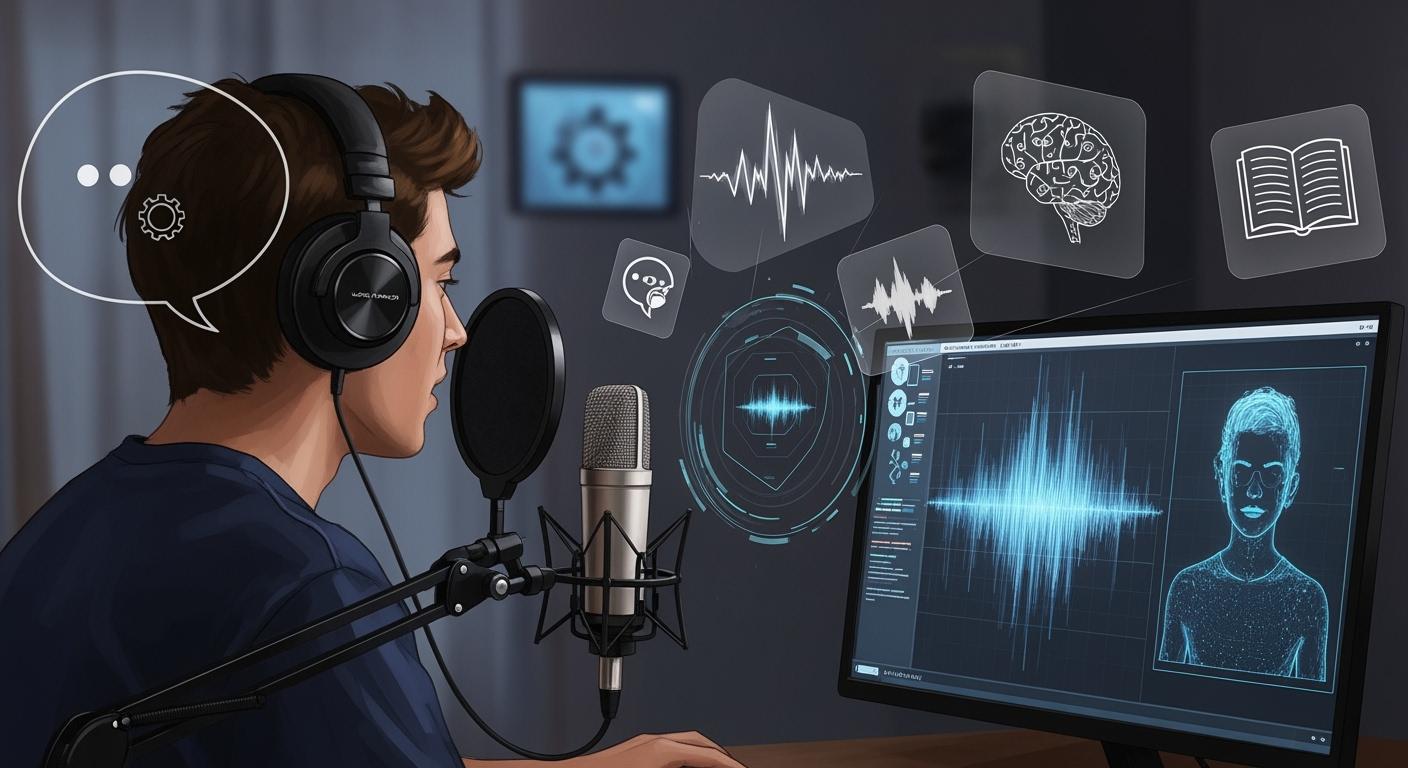
You can create music with a virtual singer even if you do not sing or have a studio. The ACE Studio voice cloning guide shows you how to use reference vocal samples to train a custom model. You upload clean audio clips, then generate new vocals with your own melody and lyrics. This tool lets you turn your musical ideas into real songs. Many creators use it to break barriers and share their music with the world.
Key Takeaways
You can make music with a virtual singer in ACE Studio. You do not need to know how to sing. This tool helps you turn your ideas into songs.
Good reference audio is very important. Use clean samples so the AI can learn the voice well. This helps make the vocals sound real and natural.
Follow these steps: pick a reference singer, upload your samples, train your model, and add your melody and lyrics. This gives you the best results.
Editing your virtual vocals is important. Use the built-in tools to change pitch, timing, and emotion. This helps your song sound professional.
Try ACE Studio's features like AI vocal synthesis and voice changing. These tools help you make music and create new sounds.
What Is ACE Studio Voice Cloning?
Overview of Voice Cloning
Voice cloning lets you make a digital copy of someone’s singing voice. You can use this to build a virtual singer that sounds like your chosen person. With ACE Studio, you upload short vocal samples. The software listens and learns the special sound and style from these samples. You can then add your own melodies and lyrics to make new vocals. This gives you control over how the final song sounds, even if you cannot sing.
ACE Studio is special because it uses Singing Voice Synthesis (SVS) technology. This advanced method gives you more choices than regular voice cloning. You can change the melody, move the pitch up or down, and set the speed. You can also change the lyrics whenever you want. This makes it easy to shape the virtual singer to match your ideas.
Note: The ACE Studio voice cloning guide shows you each step. It helps you get the best results from your virtual singer.
Key Features and Uses
You can use ACE Studio voice cloning in many ways. Here are some common uses:
Make AI vocals for trance or EDM songs. This helps electronic music makers try out ideas fast.
Create simple piano and vocal demos. You can hear your song with a clear, simple vocal part.
Change a capella recordings into MIDI notes. This lets you play with melodies and edit them easily.
These features help you write songs faster. You do not have to record your own vocals. You can focus on your music and let the software sing for you. Many creators use ACE Studio to break limits and share their music with everyone.
ACE Studio Voice Cloning Guide: Prerequisites
System and Account Setup
Before you start, you need to make sure your computer meets the basic requirements. ACE Studio works best on modern systems. You should check the following:
Windows 10 or 11 (version 22H2 or later) gives you the best experience. Older versions may work, but you might not get the full features.
macOS Ventura (13) or later is needed for Mac users. Make sure you have the latest updates.
A PC from 2020 or later with an Intel Core or AMD Ryzen processor works well for Windows. For Mac, Apple silicon or a recent Intel-based Mac Pro is recommended.
You need a stable internet connection to use ACE Studio.
You also need to create an ACE Studio account. The sign-up process is simple. You provide your email, set a password, and verify your account. Once you log in, you can access all the features in the ACE Studio voice cloning guide.
Preparing Reference Audio
To get the best results, you need clean vocal samples. These samples should have little to no background noise. Try to use recordings where the singer’s voice is clear and easy to hear. Align the lyrics with the audio so the software can learn the voice accurately.
If you do not sing, you can use reference singers from YouTube. Find a singer whose style matches your vision. Download short clips, about 20 seconds each, of their singing. You should collect 5 to 10 different samples. This helps the model learn the unique qualities of the voice.
Tip: The better your reference audio, the more natural your virtual singer will sound.
Step-by-Step Workflow

Find a Reference Singer
First, pick a reference singer for your project. This helps you decide the style and mood. Choose someone whose voice fits your song’s genre. You can use short clips from YouTube or other places. Try to get 5 to 10 clean samples, each about 20 seconds.
Here are some tips for picking your reference singer:
Think about what you want, like genre and style.
Gather all your materials before you start.
Set clear goals for your project.
Give feedback if you work with a singer.
Respect the singer’s skills and experience.
Learn what you need for recording.
Plan the steps and any agreements.
Stay positive and open-minded.
Write down important choices and steps.
Tip: If you prepare well now, your virtual singer will sound more like you want.
Estimated time: 10 minutes
Upload and Train Model
Next, upload your audio samples to ACE Studio. The platform shows you how to upload them. You need at least 5 samples, but 10 is better. After uploading, start the training process. ACE Studio uses strong computers to train your model.
Resource Type | Description |
|---|---|
GPU Resources | Modern NVIDIA GPUs like H100, H200, L40S, and A100 help with training and inference. |
Interconnect | NVLink and InfiniBand provide fast data transfer between servers. |
Software Layer | Uses NVIDIA drivers, CUDA, cuDNN, and container runtimes for smooth operation. |
Control Plane | Manages resources and keeps training efficient. |
Training usually takes about 30 minutes. You can watch the progress in the ACE Studio voice cloning guide dashboard.
Estimated time: 30 minutes
Input Melody and Lyrics
After training, add your melody and lyrics. ACE Studio lets you use MIDI files for melody. You can type or paste your lyrics into the platform.
You can control the rhythm, pitch, and speed. The software follows your input closely. Your virtual singer will perform just how you want.
Estimated time: 10 minutes
Generate and Edit Vocals
Now, make your virtual vocals. ACE Studio creates a vocal track from your melody and lyrics. You can edit the vocals with built-in tools:
Change notes for timing and pitch.
Fix lyrics if you need to.
Adjust pitch for each note.
Use controls to change tone and emotion.
Pick singing languages.
Add AI choir effects for harmony.
You can make quick changes and try new ideas. This step helps your song sound professional.
Note: Most people spend about 20 minutes editing their vocals.
Export and Mix
When you finish editing, export your vocal track. ACE Studio gives you different export options:
Export Option | Recommended Format |
|---|---|
Highest Quality | .WAV, 44100 Hz/48000 Hz, 24 Bit |
Personal Listening & Sharing | .MP3, 320 kbps |
Put your vocals into your Digital Audio Workstation (DAW) for mixing. Here are some mixing tips:
Fix timing and pitch for a natural sound.
Use EQ and compression to shape the vocals.
Add reverb and delay for space and depth.
Change volume for smooth changes.
Try parallel compression for a stronger sound.
Layer vocals and harmonies for a fuller effect.
Tip: Good mixing makes your virtual singer sound real and helps your song stand out.
Estimated time: 15 minutes
If you follow these steps in the ACE Studio voice cloning guide, you can make a virtual singer that fits your music ideas. You do not need to sing or have a studio. The steps are easy, fast, and give you full control.
Tips for High-Quality Results
Sample Quality
You need to pay close attention to the quality of your reference samples. High-quality samples help your virtual singer sound real and expressive. If you use clean audio, the AI can learn the right tone, inflection, and emotion. Dirty or noisy samples make it harder for the model to work well.
Clean samples give you better results.
Clear recordings help the AI understand the singer’s style.
Good audio lets the model copy emotion and pitch changes.
Try to collect about 15 to 20 minutes of dry vocal recordings. Use clear phrases and avoid background noise. This gives the model enough data to learn from and helps you get the best results.
Recording Environment
You should record in a quiet room. Turn off fans, air conditioners, and other noisy devices. If you can, use a good microphone setup. Some popular choices include:
Tube preamplifiers for a warm, rich tone.
Transformer-coupled designs for classic sound and mild compression.
Hybrid models that mix features for more options.
Place the microphone at mouth level and keep a steady distance. This helps you capture a natural and even sound. Always check your recordings before uploading them.
Advanced Settings
ACE Studio voice cloning guide gives you tools to fine-tune your results. You can adjust pitch, speed, and emotion after generating vocals. Try different settings to match your song’s style. Use the built-in editor to fix timing or change the language. Explore the AI choir feature if you want to add harmonies. Small changes can make your virtual singer sound unique and professional.
Tip: Test different settings and listen to your results. You will learn what works best for your music.
Troubleshooting
Common Errors
When you use ACE Studio for voice cloning, you might run into some problems. If you know about these issues, you can fix them faster. The table below shows the most common errors and what they mean:
Error Type | Description |
|---|---|
Room Reflections | If your vocals have lots of echoes from the room, the model can get confused and not work right. |
Headphone Bleed | Sometimes, sound from your headphones gets picked up by the microphone. This happens more with loud or open-back headphones. |
No Overlaps | If you use more than one vocal track at once, the AI cannot study your voice well. |
No Hard Cuts | If your audio starts or stops suddenly, you might hear clicks or pops that do not sound real. |
Tip: You can stop most errors by recording in a quiet room and using just one clean vocal track.
Improving Output
You can make your results better by doing a few easy things. Always use good, dry vocal samples. Try to keep background noise low when you record. Hold your microphone the same distance from your mouth every time. Do not let your vocals overlap or cut off suddenly. If you hear clicks or pops, trim your audio more gently.
Try out different settings in ACE Studio to fit your song. Change the pitch, speed, and emotion until you like how it sounds. Listen to your results and make small changes until you are happy.
Note: Even small changes in how you record can help your virtual singer sound more real.
Support Resources
If you need help, there are many places you can go. You can find guides, videos, and talk with other users on these sites:
You can ask questions, share what you know, and learn from others. These resources help you fix problems and use ACE Studio better.
You can use ACE Studio to make a virtual singer, even if you cannot sing or do not own a studio. AI tools help everyone make music. You can test new ideas and turn your music dreams into real songs. If you want more options, you can check out the Artist Edition for extra features:
Feature | Description |
|---|---|
AI Vocal Synth | Change lyrics and MIDI into pro vocals. |
AI Voice Changer | Switch voices or make harmonies. |
ACE Bridge 2 (DAW Plugin) | Link ACE Studio to your DAW for simple work. |
Voice Designer / VoiceMix | Mix AI voices for cool, new sounds. |
Now, anyone can make music with strong, pro vocals. Try it out and see what you can make!
FAQ
How many reference samples do I need?
You should upload 5 to 10 clean vocal samples. More samples help ACE Studio learn the voice better. Try to use different phrases and keep each sample around 20 seconds.
Can I use any singer’s voice from YouTube?
Yes, you can use YouTube clips as reference if the audio is clear. Make sure you respect copyright rules. Always choose singers whose style matches your project.
What file formats does ACE Studio support?
File Type | Supported Formats |
|---|---|
Audio | .WAV, .MP3 |
MIDI | .MID |
You can upload these formats for reference and melody input.
Do I need music theory knowledge to use ACE Studio?
No, you do not need music theory skills. ACE Studio lets you input melodies with MIDI files or use simple note tools. You can experiment and learn as you go.
How long does it take to train a custom voice model?
Training usually takes about 30 minutes. You can watch the progress in your ACE Studio dashboard. The time may vary based on your internet speed and sample quality.
See Also
AI Voice Cloning Helps Video Creators Slash Voiceover Expenses
Streamlined Workflow for AI Musicians Using ACE Studio 2.0
Comparing ACE Studio 2.0 and Suno AI: Top Music Tools
My Journey: 10 Songs in 5 Days with ACE Studio
Revolutionary Google Antigravity AI Tool Transforms Coding Landscape

© Copyright 2025 LinkstartAI - All Rights Reserved.