ACE Studio voice cloning

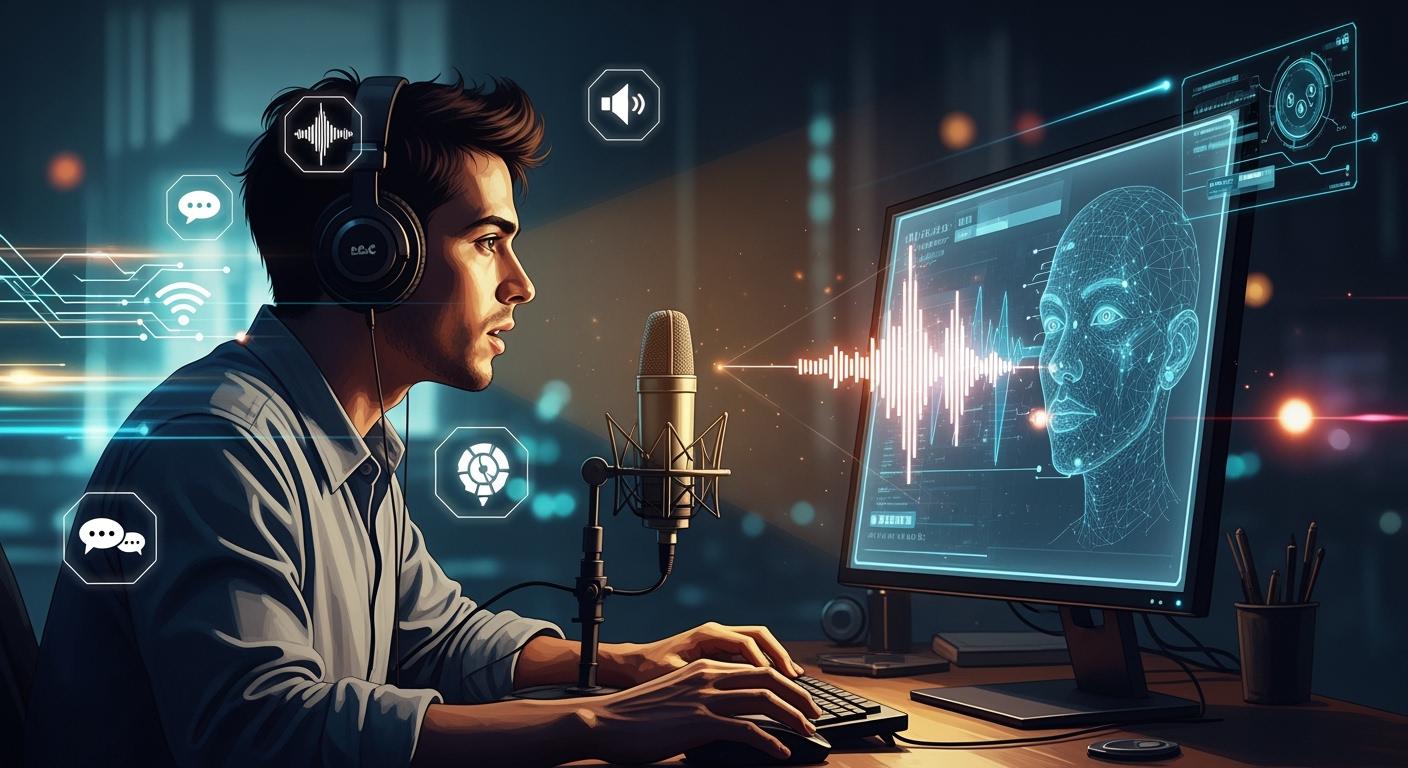
ACE Studio voice cloning helps you make singing voices from ideas. You do not have to sing or buy costly recording tools. AI-powered voice cloning tools are popular now. They help people make music in an easy way. The AI audio market is almost 5 billion dollars in 2024. It is growing very quickly. Many young creators use AI for their music projects. ACE Studio voice cloning lets you create your own sound. You can turn your music ideas into real songs.
Key Takeaways
ACE Studio voice cloning lets anyone make singing voices. You do not need to sing or buy costly tools.
You can train your own vocal model in 30 minutes. You only need a few short audio clips. This makes making music easy for everyone.
The platform works with many languages and singing styles. You can make different kinds of music that fit what you like.
Editing tools help you change pitch, emotion, and timing. This gives you control over how your virtual singer sounds.
Always get permission before using someone else's voice. This helps you follow privacy rules and keeps your account safe.
What is ACE Studio voice cloning?
Core Technology Overview
ACE Studio voice cloning uses smart artificial intelligence. It helps you make singing voices that sound real. You do not have to sing or record yourself. The system learns from audio samples. It builds a model that can sing your tunes and words. You can train your own voice model with a few short recordings.
The technology uses deep learning methods. These help the AI copy human voices very well.
Clean audio samples help neural networks learn voices.
The AI compares its output to sample voices and improves.
Backpropagation helps the model fix mistakes.
Convolutional neural networks and autoencoders find details in speech for real voice sounds.
Generative Adversarial Networks let the voice change style and tone.
You can use these tools to make a virtual singer. The system lets you control pitch, vibrato, and feeling. You can change the sound to match your music.
Tip: You only need a few short voice samples to begin. Training is quick and simple.
Difference from Traditional Voice Synthesis
ACE Studio voice cloning is different from older voice synthesis. You get more control and better sound. The technology lets you be creative and expressive. You can change pitch and vibrato to make the voice sound real. Other tools, like Dubbing AI, are good for fast voiceovers but do not give much control for singing.
The table below shows how ACE Studio voice cloning and traditional voice synthesis compare:
Method | Output Quality Description |
|---|---|
ACE Studio | Gives cleaner singing and works well with high notes. |
Traditional | Has a more raw sound with character because of small flaws. |
ACE Studio | Can sound too perfect and may miss the character found in older methods. |
Traditional | Is better for some expressive lines or changing textures. |
You can use ACE Studio voice cloning to make smooth vocals for your songs. The system helps people who are not singers make music. You get a virtual singer that performs your ideas clearly and with style.
How ACE Studio Voice Cloning Works

Workflow for Non-Singers
You do not have to be a singer to use ACE Studio voice cloning. The platform helps you turn your melody ideas into songs. If you have a tune but cannot sing, you can still make music. Here is how the workflow goes:
Find a Reference Singer
First, look on YouTube for a singer with a style you like. Pick a short clip, about 20 seconds, where they sing without music.Upload Reference Audio
Collect 5 to 10 short clips of the singer. Upload these samples to ACE Studio. The system learns the singer’s voice style from these.Train Your Custom Model
ACE Studio voice cloning trains a vocal model with your samples. This step takes about 30 minutes.Input Your Melody and Lyrics
Add your melody as a MIDI file. Type your lyrics into the platform. The system gets ready to make vocals.Generate and Edit Vocals
Use your trained model to make singing vocals. You can change how words sound and add emotion.Mix in Your DAW
Export the vocals. Put them into your digital audio workstation (DAW) to mix and finish your song.
ACE Studio is easy to use for beginners and pros. You can make good songs without knowing a lot about music production.
This workflow helps you if you cannot sing or record. You can make a "virtual singer" for your music. You can use this singer for many new songs.
Model Training Process
Training a vocal model in ACE Studio voice cloning is easy. You only need a few short audio samples. The system learns fast and does not need special skills. To get the best results, follow these tips:
Requirement | Details |
|---|---|
Voice Consistency | Use the same voice and do not mix different singers. |
Language | Each audio must use one language (Chinese, Japanese, or English). |
Duration | Each clip should be 10 seconds to 10 minutes long. |
Content | Audio must have only singing, no music or noise. |
Audio Format | Use wav, flac, mp3, or m4a formats. |
Minimum Files | You need at least 1 file; 30 to 100 files are best. |
Silence | Each file should start and end with 2 seconds of silence. |
Quality | Use wav format with 44100Hz/16Bit or better. |
Recording | Record dry Acapella with no noise or extra sounds. |
Expression | Sing with feeling and use many pitches. |
Editing | Use compression and EQ, but do not add reverb or delay. |
Volume | Keep the volume the same in all recordings. |
You do not need a studio to record. You can use a quiet room and a simple microphone. The system works best if you follow these steps. Training is quick. You can start making vocals in less than an hour.
Generating and Editing Vocals
After you train your model, you can make vocals. ACE Studio voice cloning lets you create singing that sounds almost real. Many users say the vocals sound very close to a real person. The quality is like what you hear in studios. You can use editing tools to make your vocals better.
Here are some editing tools you can use:
Tool Name | Description |
|---|---|
Pitch Brush | Lets you draw or erase pitch lines for custom singing. |
Pitch Anchor | Lets you set points to help draw pitch lines with your mouse. |
AI Pitch | Makes pitch lines for you using your notes and lyrics. |
User Pitch | Lets you change the AI pitch with your own edits, shown as a white line. |
Pitch Tools | Six tools for drawing, fixing, erasing, and tuning pitch lines. |
You can change pitch, timing, and emotion. You can fix mistakes or add effects. The tools help you shape the voice for your song. You do not need to be an expert. The platform helps you at every step.
With ACE Studio voice cloning, you can make a virtual singer that fits your style. You can use this singer for many songs. The process is fast and easy. You get control over every part.
ACE Studio Voice Cloning Features
Realistic Voice Synthesis
You can make singing voices that sound real. ACE Studio uses smart AI to copy human singing. The system checks how close the AI voice is to a real singer. It uses special tests like Mel-Cepstral Distortion (MCD) to compare sounds. A group of native speakers from different countries listens to the voices. They rate how well the AI pronounces words and shows feelings. They use the Mean Opinion Score (MOS) to judge how natural, clear, and emotional the voice is. The AI learns from these scores and gets better.
Metric | Description | Improvement |
|---|---|---|
MCD | Checks how close the AI voice is to a real singer | Gets better in new updates |
F0_RMSE | Looks at pitch accuracy | Not mentioned |
You can change pitch, vibrato, and emotion for each note. The system lets you control Air, Falsetto, Tension, and Energy. Small changes help the voice sound more real.
Custom Vocal Models
You can make your own special vocal model. ACE Studio gives you custom voice slots based on your plan.
Subscription Plan | Custom Voice Slots | Cost for Custom Voice |
|---|---|---|
Artist Plan | 1 | Included |
Artist Pro Plan | 5 | Included |
Upload your samples and train a model that fits your style. You can use this model for any song you want.
Multi-Language Support
You can make songs in many languages. ACE Studio works with Chinese, English, Japanese, and Korean. You can pick pop, rock, classical, or anime-style vocals. The platform lets you change every part of the vocal track, like pitch and emotion. This helps you make music for lots of styles and people.
Supports many AI voicebanks in different languages
Lets you pick from many vocal styles and genres
Gives you strong control over tone and phrasing
Integrated Music Studio Tools
ACE Studio gives you a full studio in one place. You get tools for voice cloning, voice changing, and AI instruments. The platform includes:
Feature | Benefit |
|---|---|
AI Vocal Synthesis with Verse25 | Makes real-sounding vocals in many languages |
AI Instruments with Chorus25 | Gives you lifelike instrument sounds |
Generative Kits & Enhanced Tools | Helps you make music parts fast |
Canvas Interface | Offers a simple and clear workspace |
Workflow Enhancements | Speeds up the AI music making process |
Voice Cloning and Changer | Lets you change your voice into different characters |
You can use over 41 pro AI vocalists. You can mix voices, add emotion, and work with MIDI and lyrics. The tools help you finish songs faster and be more creative.
Security and Privacy
ACE Studio cares about your privacy. The platform does not let you clone voices without permission. You must get approval to upload someone else’s voice. If you break this rule, your account can be blocked or deleted.
Note: Always use your own voice or get clear permission before uploading samples.
With ACE Studio voice cloning, you get a safe, creative, and strong tool for making music.
Benefits and Limitations
Advantages for Creators
You can make songs without singing or buying fancy gear. ACE Studio voice cloning gives you pro voice models right away. You do not need lots of recordings or special skills. The VoiceMix feature lets you mix different vocal sounds. This helps you make a special voice for your music. You can change vibrato, breathing, and emotion. These tools let you shape your music in new ways.
You can add MIDI files and lyrics to build full vocal tracks.
You can change how each note sounds and feels.
You get great-sounding vocals with easy steps.
You save time and money because you do not need a studio.
ACE Studio voice cloning lets you make music even if you are not a singer.
Technical and Ethical Considerations
You should think about how you use AI voices. Groups like PASAVE in Spain want to protect voice actors. They ask companies to sign contracts to limit how AI uses voices. Big companies like Sony Pictures and Netflix follow these rules. These contracts make sure actors’ voices are not used without asking. You should always get permission before using someone’s voice. This keeps your work fair and respectful.
Tip: Always check the rules before you use or share AI voices.
Potential Risks
There are risks if you use AI voices the wrong way. If you copy a voice without asking, you could break privacy rules. You might lose your account or get into legal trouble. You should use your own voice or get clear permission from others. You must follow the platform’s rules to keep your work safe.
Risk Type | Description |
|---|---|
Privacy Violation | Using voices without consent |
Account Loss | Breaking platform rules |
Legal Issues | Ignoring copyright or contract agreements |
You keep yourself and others safe when you follow these rules.
Getting Started with ACE Studio Voice Cloning
Account Setup
You can start your journey with ACE Studio voice cloning in just a few steps. First, visit the ACE Studio website. Click the "Sign Up" button. Enter your email address and create a password. You will get a confirmation email. Open your inbox and click the link to activate your account. After you log in, you can explore the dashboard. The dashboard shows all the tools you need.
Tip: Use a strong password to keep your account safe.
Uploading and Training
You need to collect some audio samples before you train your model. Record or find short clips of singing. Make sure each clip is clear and has no background noise. You can use your phone or a simple microphone. Save your files in formats like WAV or MP3. Go to the "Voice Model" section on the dashboard. Click "Upload" and select your audio files. The system checks your files and starts training your custom model. This process usually takes about 30 minutes.
Here is a checklist for your audio files:
Each file should have only one voice.
Use clips between 10 seconds and 10 minutes.
Start and end with two seconds of silence.
Using Your Virtual Singer
After training, you can use your new virtual singer. Go to the "Create Song" section. Upload your melody as a MIDI file. Type your lyrics in the text box. Choose your trained voice model. Click "Generate Vocals" to make your singer perform your song. You can listen to the result and make changes. Use the editing tools to adjust pitch, timing, and emotion. When you finish, export the vocals and mix them in your favorite music software.
Note: You can use your virtual singer for as many songs as you want.
You now have the power to create music with ACE Studio voice cloning, even if you cannot sing.
Real-World Applications

Music Production
ACE Studio voice cloning lets you make music in new ways. Many musicians and producers use this tool for their songs. Steve Calvert made the song “Heaven” with only ACE Studio vocals for the main part. Another song, “Castles in the Air,” started with real singing. Later, the producer used ACE Studio to add more voices and make the singing better. These stories show you can build songs from nothing or make old songs sound better.
Make main vocals for your own music.
Add extra voices and harmonies to your songs.
Make your singing tracks sound more professional.
You do not have to be a trained singer. You can turn your music ideas into real songs with just a few steps.
Accessibility and Education
ACE Studio voice cloning helps people learn about music. If you have a tune in your head but cannot sing, you can still make a song. Teachers can use this tool to teach students about making music. Students can try out different voices and styles. This helps them learn about music rules and how to write songs. People with disabilities can use this tool to share their music ideas.
Tip: Try using ACE Studio for your next school project or music class. You might find a new way to make and share music.
Media and Customer Service
ACE Studio voice cloning is used in many jobs outside music. Media makers use it to make voices for games, ads, and videos. The tool helps make special jingles and voices for characters. Customer service teams use AI voices to answer questions and give help.
Application Area | Impact Description |
|---|---|
Music Production | Lets you make main vocals, harmonies, and extra voices for any kind of music. |
Game Development | Makes character voices and background music with AI singing. |
Advertising | Creates special jingles and voices for ads, giving great sound quality. |
You can see how this tool changes how people work in music, media, and business.
You can unlock new creative possibilities with ACE Studio voice cloning. This platform gives you tools to make music without singing skills or expensive equipment. Many creators use it to bring their ideas to life. You can start your own project today. Try the free resources on the ACE Studio website or watch tutorial videos. If you want to learn more, join the ACE Studio community for tips and support. 🎵
FAQ
How long does it take to train a custom voice model?
You can train a custom voice model in about 30 minutes. The process uses your uploaded audio samples. ACE Studio guides you through each step.
Can I use ACE Studio voice cloning if I cannot sing?
Yes! You do not need singing skills. You can upload reference audio and use MIDI files and lyrics to create vocals for your songs.
What audio formats does ACE Studio support for training?
ACE Studio supports WAV, FLAC, MP3, and M4A formats. You should use clear, acapella recordings for the best results.
Is it safe to upload someone else’s voice?
You must get permission before uploading someone else’s voice. ACE Studio protects privacy and may block accounts that break this rule.
Can I make songs in different languages?
You can create songs in Chinese, English, Japanese, and Korean. ACE Studio supports multiple languages and vocal styles.
See Also
AI Voice Cloning Helps Video Creators Cut Costs Dramatically
Streamlined Workflow For Musicians Using ACE Studio 2.0
Comparing ACE Studio 2.0 And Suno AI For 2026
Producing 10 Songs In 5 Days With ACE Studio And ChatGPT
Google's Antigravity AI Revolutionizes Coding With New Tools

© Copyright 2025 LinkstartAI - All Rights Reserved.