ACE Studio 2.0 workflow for AI musicians

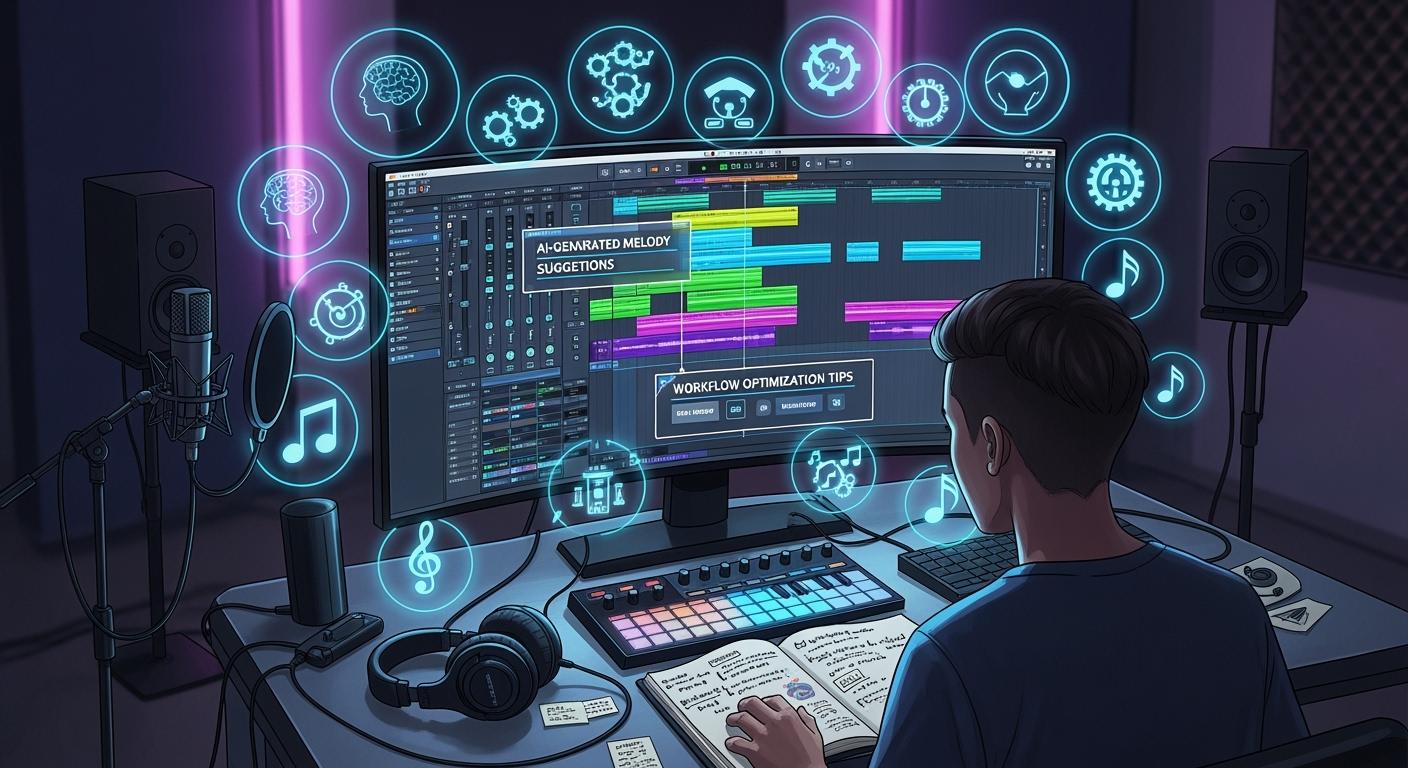
You can change how you create music with the ace studio 2.0 workflow. This workflow lets you build expressive AI vocals without a microphone or expensive studio. As a musician, you get full creative control. You use AI to generate singing voices from your MIDI and lyrics. The ace studio 2.0 workflow connects with your DAW, so you move quickly from idea to finished track. You save time and money. Many musicians now rely on the ace studio 2.0 workflow to boost their creative process with AI.
Key Takeaways
ACE Studio 2.0 lets musicians make music without a microphone or studio. It uses AI to make vocals from MIDI and lyrics.
Keep your projects neat by making folders and labeling tracks. Save different versions to help your workflow and stop mistakes.
Use AI-assisted composition to save time and try new styles. You can make special sounds without playing instruments.
ACE Bridge connects ACE Studio 2.0 with your DAW. This gives fast audio feedback and easy mixing.
Export your music in many formats, like stems. This helps you work with other musicians and improve your projects.
Project Setup in ACE Studio 2.0
Installation & System Needs
Check your computer before you use ACE Studio 2.0. This makes sure the ai music studio works well. Look at the table below to see what your computer needs:
Requirement | Minimum Specification | Recommended Specification |
|---|---|---|
Windows | Windows 10 or 11 (version 22H2 or later) | PC from 2020 or later with Intel Core or AMD Ryzen |
macOS | macOS Ventura (13) or later | Apple silicon-based Macs or Intel-based Pro lineup |
CPU | 2 GHz | - |
RAM | 8 GB | - |
HD Storage | 5 GB | - |
Additional Requirements | Internet Connection | - |
A newer computer works best with ACE Studio 2.0. Old computers may run slow. Make sure you have enough space and good internet. This helps you use the ai instrument software and other tools without trouble.
Tip: Update your system and drivers before you install ACE Studio 2.0. This stops many problems.
Initial AI Music Studio Configuration
After you install ACE Studio 2.0, you can start your first project. Here are the steps to set up your ai music studio:
Import your first AI vocal track and render it.
Listen to the track and find weak spots.
Fix the pitch curves and make transitions smooth.
Change the timing of consonants and phrasing to sound natural.
Adjust the emotional tone by using the parameters.
Play your track, make last changes, and export it.
You can do these steps for every new project. This lets you control each part of your music. You can use ai to change vocals and instruments how you like. ACE Studio 2.0 helps you make music from your ideas fast and easily.
Importing & Managing Audio/MIDI
Supported Formats & File Types
You can bring many types of files into ACE Studio 2.0. This helps you start your music project with the right tools. The software supports both audio and MIDI files. You can use these files to build your tracks and add AI vocals.
Here is a table to show you the main file types you can use:
File Type | Extension | Use Case |
|---|---|---|
Audio | .wav | High-quality vocals |
Audio | .mp3 | Quick song ideas |
MIDI | .mid | Instrument melodies |
MIDI | .midi | Drum patterns |
Project | .aceproj | Save your full project |
Tip: Use .wav files for the best sound quality. You get clear vocals and instruments.
You can drag and drop these files into your project. This makes it easy to start working. You do not need to convert files before you use them. ACE Studio 2.0 reads them right away.
Asset Organization Tips
You need to keep your files organized. This helps you find your work fast and avoid mistakes. Here are some tips to help you manage your assets:
Create folders for each project. Name them with the song title or date.
Label your tracks clearly. Use names like "Lead Vocal," "Harmony," or "Drums."
Save versions often. Add numbers or dates to your file names, such as "Chorus_v2.mid."
Use color tags. Many DAWs let you color-code tracks. This helps you see your parts at a glance.
Back up your files. Save your work on a cloud drive or USB stick.
Note: Good organization saves you time. You can focus on making music instead of searching for files.
You can use these habits in every project. You will work faster and make fewer mistakes. ACE Studio 2.0 gives you the tools to manage your music files with ease.
ACE Studio 2.0 Workflow Essentials
Using AI-Assisted Composition
You can do more with AI-assisted composition in ACE Studio 2.0. This tool helps you make music, even if you do not play instruments. First, type your melody as MIDI notes. Then, add your lyrics. The AI makes singing that matches what you want. You can change things like pitch and timing to make your own sound.
Many musicians use this to save time and be creative. You do not need to pay singers or rent a studio. You can try many styles and feelings until you find the best one. The AI vocal engine lets you control every part of the singing. This is not just a one-click music tool. You decide how it sounds, and the AI helps you finish your ideas.
Tip: Try using other AI instruments with your vocals. You can add harmonies, backing tracks, and make a full song without leaving your DAW.
Vocal-to-MIDI & VoiceMix™ Features
ACE Studio 2.0 has strong tools for making vocals and sounds. The Vocal-to-MIDI tool lets you sing or hum a tune. It quickly turns your voice into MIDI notes. You can use these notes with any AI instruments or ai voice models. You do not need to fix notes by hand for hours. The tool works fast and gets it right, so you can focus on making music.
VoiceMix™ makes your workflow even better. You can mix different ai voice models to make new sounds. You do not need to train new voices or use hard settings. Just blend the voices you like and get a new sound for your song. This is great for musicians who want to try new styles and feelings. You can make new AI voices from VoiceSeeds, so you have many choices. VoiceMix™ lets you make special vocals for any kind of music.
Note: Use VoiceMix™ to make harmonies or cool effects. You can mix voices for duets, groups, or even fantasy characters.
ACE Bridge DAW Integration
You can link ACE Studio 2.0 with your DAW using ACE Bridge. This plugin helps you connect your DAW and ACE Studio. Add ACE Bridge as an instrument on a MIDI track. Make sure ACE Studio is open before you start. Pick a voice or instrument and begin making music.
When you play MIDI in your DAW, ACE Bridge sends the notes to ACE Studio right away. The AI makes vocals or instruments fast. You hear the sound at once, so you can change things quickly. The plugin sends the audio back to your DAW, so you can mix and edit without leaving your program. You also see the playhead and clips from ACE Studio in your DAW. This keeps everything together and saves you time.
If you want perfect timing, use the ARA plugin. Attach it to a dummy audio clip for the best sync. On Windows, ACE Bridge installs by itself. On macOS, ACE Studio will help you set it up. Turn on "Allow in the Background" to keep things working well.
Workflow Magic: With ACE Bridge, you can make big songs, test ideas, and finish tracks faster. This is better than one-click tools, which do not let you control everything.
These features work together to make your workflow smooth. You get the power of ai, the freedom of ai instruments, and the control of a pro musician. ACE Studio 2.0 helps you turn ideas into finished songs quickly and easily.
Workflow Optimization in AI Music Studio

Custom Workspaces & Efficiency
You can change your workspace in ACE Studio 2.0 to fit your needs. Custom workspaces help you keep things tidy and work faster. You can move panels around and make windows bigger or smaller. You can also save layouts you like best. This helps you find your favorite tools quickly. When your workspace is set up, you do not waste time looking for things. You spend more time making music. Try saving a layout for each project type. For example, use one for editing vocals and another for mixing.
Tip: Keyboard shortcuts help you work faster. You can see all the shortcuts in the settings menu.
Automation & Batch Processing
Automation helps your music sound better and more polished. It lets you change volume, effects, and other things over time. You can draw lines for automation or use shapes that are already made. This makes your tracks feel alive and interesting. Batch processing saves time when you need to change many files at once. For example, you can fix several vocal tracks together. This is very useful for big projects.
Use automation to make smooth fades and cool effects.
Batch processing helps you export stems or add effects to many tracks at once.
Music Enhancer & Stem Splitter
ACE Studio 2.0 has strong ai tools like Music Enhancer and Stem Splitter. Music Enhancer makes your tracks sound better with just one click. You can make vocals clearer or fix how loud things are. Stem Splitter breaks your song into vocals, drums, and other parts. You can remix, edit, or use each part by itself. These tools make your workflow better and give you more control. You do not need extra plugins to get good results.
Note: Stem Splitter is great for making karaoke tracks or getting vocals for remixes.
Collaboration & Export
Sharing with Musicians
You can work with other musicians easily in ACE Studio 2.0. The platform gives you tools that help you share ideas and build songs together. You do not need to be in the same room. You can send files, edit vocals, and try new sounds with your team. The table below shows how ACE Studio 2.0 supports teamwork:
Feature | Description |
|---|---|
You can add AI vocals to your project. Your team can edit and share these parts. | |
Standalone and DAW integration | You can use ACE Studio alone or inside your DAW. This makes it easy to work with others. |
Multiple vocalists | You can pick from over 40 AI vocalists. Your group can try many styles and voices. |
License-free usage | You can use all vocals for any project. You do not worry about copyright. |
You can send your project files to friends or bandmates. They can open the files, make changes, and send them back. You can use the same AI voices, so your music stays the same. You can also use ACE Studio as a plug-in in your DAW. This lets you share tracks with people who use different software.
Tip: Try using different AI vocalists for each part. You can make your song sound like a real group.
Exporting Tracks & Stems
You can export your music in ACE Studio 2.0 with just a few clicks. The software gives you many export options for professional results. You can check loudness levels before you export. This helps your music sound good everywhere. You can save your work in high resolution for archiving. You can also export tracks that are ready for publishing.
You can monitor loudness to match industry standards.
You can export in high quality for safe storage.
You can create files that are ready to share or publish.
You can export full mixes or just the stems. Stems are single parts like vocals, drums, or instruments. You can send these to other musicians or producers. They can mix or remix your song. This makes teamwork easy and helps you finish your music faster.
Note: Exporting stems lets you work with other artists and producers. You can make remixes or new versions of your song.
Limitations & User Insights
Learning Curve & Usability
You may notice that ACE Studio 2.0 gives you many tools and options. This power means you need to learn how to use the software. Some users say it takes a few hours to get comfortable. You might spend time adjusting settings for each vocal part. The interface looks clear, but you may need to explore menus and try different features. If you have used a DAW before, you will learn faster. New users can start with simple projects and build skills over time.
Tip: Start with basic vocal tracks and use presets. This helps you learn the workflow before you try advanced features.
Rendering Delays & Pronunciation Issues
When you use ACE Studio 2.0, you may see short delays after you change settings. The software needs time to process and render new audio. Most users find these delays short, but you should plan for them. Some users also notice that the ai voices sometimes pronounce English words in a unique way. You may need to adjust the phoneme settings to get the best results. This step helps you make the vocals sound more natural.
Save your work often.
Listen to each vocal line and check for words that sound different.
Use the editing tools to fix any problems.
Competitive Comparison
You have many choices for ai music tools. ACE Studio 2.0 stands out when you want more control over vocals. Other platforms like Suno and Udio let you make full songs with one click. These tools work fast, but you cannot change every detail. Synthesizer V and Vocaloid give you strong vocal editing, but they may need extra voice banks or more setup.
Here is a table to help you see when ACE Studio 2.0 is the best choice:
Feature | Description |
|---|---|
You can turn your singing into MIDI notes. | |
Change Voices | You can change how the vocals sound. |
Add Choirs | You can add choir effects to your tracks. |
You should use ACE Studio 2.0 if you want to turn your own vocals into MIDI, mix different voices, or add choir sounds. This platform gives you more creative control than most one-click ai music generators.
You can boost your music production with ACE Studio 2.0. Many musicians praise its easy interface and creative power. You get expressive control, DAW integration, and unique features like VoiceMix™. You may need time to learn the tools and wait for rendering, but the results are worth it. Today, AI lets you create music without expensive studios or long training. In the next few years, you will see more artists making new sounds with AI. The future of music belongs to creators like you.
FAQ
How do you start a new project in ACE Studio 2.0?
You click "New Project" on the main screen. You choose your template or start from scratch. You can import MIDI or audio files to begin.
Can you use ACE Studio 2.0 without a DAW?
Yes, you can use ACE Studio 2.0 as a standalone app. You do not need a DAW to create, edit, or export your music.
What file formats can you export?
You can export your music as WAV, MP3, or MIDI files. You can also export stems for each track. This helps you share or mix your music with others.
How do you fix AI vocal pronunciation?
You use the phoneme editor to adjust how the AI sings each word. You can listen and change sounds until the vocals match your needs.
Is ACE Studio 2.0 good for beginners?
You can start with simple projects and presets. The interface is clear. You will learn more as you use the software. Many beginners find it easy to try new ideas.
See Also
Creating An Effortless English Workflow With AI Tools
My Journey: Composing 10 Songs In Just 5 Days
Revolutionary Google AI Tool Transforms Coding With New Features
AI Voice Cloning: A Game Changer For Video Creators' Budgets
Jule: The AI Assistant Simplifying Software Development Tasks

© Copyright 2025 LinkstartAI - All Rights Reserved.